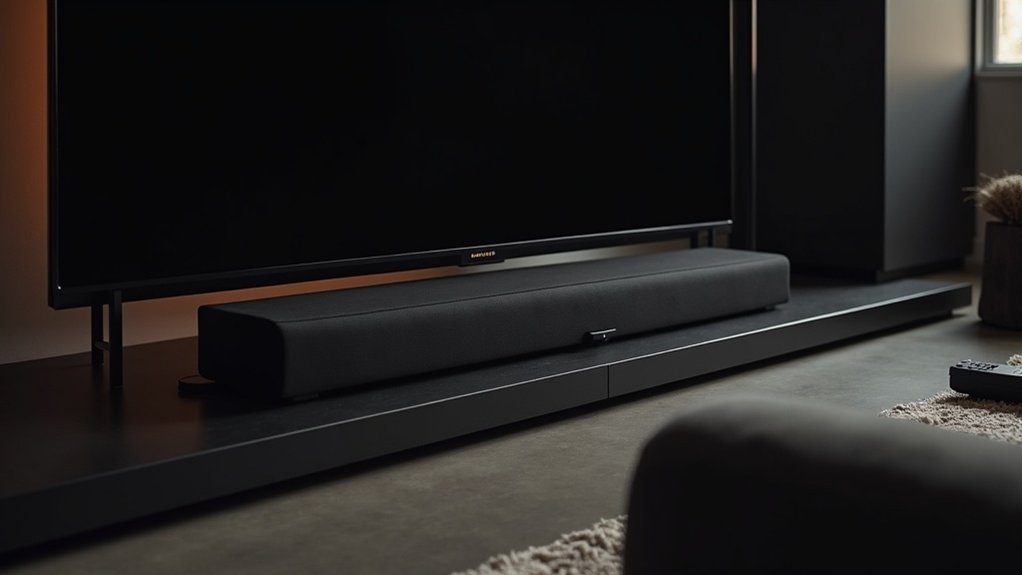
Soundbars limit volume at startup primarily to protect your devices and enhance your listening experience. They typically begin at a low level to avoid sudden loud sounds that could damage speakers or harm your hearing. Additionally, synchronization with TVs and streaming devices contributes to this feature, as these devices usually default to lower levels to ensure smooth operation. This controlled approach helps maintain consistent audio and prevents startling surprises, creating a more seamless setup experience for users. Explore further to learn more about optimizing your soundbar settings.
Key Takeaways
- Soundbars limit volume at startup to prevent sudden loud sounds that could damage speakers or startle users.
- A soft start mechanism gradually increases sound output, enhancing user comfort during initial use of the soundbar.
- Compliance with safety regulations ensures maximum output levels are restricted to protect hearing and provide consistent audio from the soundbar.
- Synchronization with TVs and streaming devices requires lower initial volumes to avoid discrepancies and enhance the overall user experience with the soundbar.
- Firmware may control startup volume settings, with features like “smart volume” adjusting levels based on previous usage for smoother operation of the soundbar.
Understanding Volume Limitation Mechanisms
When you power on a soundbar, you might notice that it often starts at a limited volume, which is primarily designed to protect both the device and your listening experience.
This volume limitation mechanism guarantees that sudden loud sounds don’t damage the speakers or disrupt your environment. Typically, sound settings are programmed to a default low level, often between 0-10.
The volume limitation mechanism protects speakers from sudden loud sounds, typically starting at a default level between 0-10.
Manufacturers may also incorporate firmware to enhance user experience, establishing a controlled audio environment.
Some soundbar models feature a “smart” volume function that adjusts startup levels based on previous usage, though this can lead to inconsistencies in sound output.
Safety Features in Soundbars
Although you may not always notice them, soundbars are equipped with various safety features designed to enhance your listening experience while protecting both the device and your hearing.
These features often include volume normalization, which gradually increases levels during startup to prevent sudden loud noises. A soft start mechanism minimizes shock by beginning sound output at a lower volume.
Compliance with safety regulations mandates limiting maximum output to protect against hearing damage. Additionally, automatic volume limiting prevents distortion across different content types, ensuring that whether you’re watching movies or TV, your audio experience remains consistent and enjoyable while maintaining data privacy.
Synchronization With Other Devices
Soundbars interact with various devices, such as TVs and streaming players, which can create challenges in achieving consistent audio levels. During startup, soundbars often limit volume to guarantee smooth synchronization. Here’s a breakdown of common synchronization scenarios:
| Device Type | Volume Behavior |
|---|---|
| TV | Defaults to lower levels |
| Streaming Player | Adjusts based on last state |
| Soundbar | Engages auto volume leveling |
| Firmware Updates | Enhances synchronization |
These interactions can lead to temporary volume inconsistencies until all devices establish a stable connection, optimizing your audio experience across platforms.
Impact of Startup Sequences on Volume
While many users appreciate the convenience of soundbars, it’s important to recognize how their startup sequences can significantly affect volume levels. Most soundbars start at a default low volume to prevent startling users with sudden loud noises.
If your soundbar resets during startup and forgets the last used volume, it will revert to this lower setting. Additionally, volume discrepancies may occur when connecting soundbars to TVs or streaming devices, each of which may have different power-on sequences.
Firmware updates can further complicate matters by potentially altering the startup volume behavior or restoring previous configurations.
Therefore, understanding how these startup sequences influence your soundbar experience is essential for optimal listening enjoyment.
Temporary Volume Restrictions: Causes and Effects
When you power on your soundbar, temporary volume restrictions often occur due to startup volume settings designed to enhance your listening experience.
Device compatibility issues can further complicate this, as interactions with connected devices may lead to unexpected volume behavior.
Additionally, software glitches can impact initial volume levels, requiring adjustments for optimal audio performance.
Startup Volume Settings
While it can be frustrating for some users, the startup volume settings in soundbars are intentionally designed to limit sound levels when the device is powered on. This feature helps prevent sudden loud noises that could be jarring or damaging.
Here are some key points to consider:
- Volume limits can vary depending on the manufacturer and specific model of the soundbar.
- The last used volume settings may not always transfer correctly upon startup.
- Firmware-controlled limits are implemented to enhance safety and improve the overall user experience.
These temporary volume restrictions, although sometimes inconsistent, are ultimately aimed at protecting your hearing as well as the soundbar’s speakers.
This ensures a more enjoyable audio experience right from the moment you turn on your soundbar.
Device Compatibility Issues
Device compatibility issues with soundbars can often lead to frustrating audio experiences. When different audio sources interact with your soundbar, you may encounter temporary volume restrictions that disrupt your listening enjoyment. Inconsistent volume behavior can arise from firmware discrepancies and varying audio output settings. Here’s a quick overview of common issues and potential solutions:
| Device Type | Common Issue | Potential Solution |
|---|---|---|
| Streaming Box | Incorrect output settings | Align audio formats |
| TV | Firmware mismatch | Update device firmware |
| Game Console | Conflicting volume controls | Set unified volume levels |
Software Glitches Impacting Volume
Software glitches can significantly affect the volume performance of soundbars, resulting in frustrating temporary restrictions during startup. These issues often stem from firmware conflicts, which can disrupt volume settings and lead to inconsistent audio behavior.
- While factory resets may offer a quick solution, the issue often reappears.
- Power-on sequences can exacerbate restrictions if synchronization with connected devices fails.
- Regular firmware updates are crucial, as they resolve software bugs and improve overall performance.
Adjusting Audio Settings for Optimal Performance
To achieve ideal audio performance from your soundbar, it’s essential to explore its adjustable settings, as they can significantly enhance your listening experience.
Start by adjusting the Digital Output Audio Format to PCM, which can improve sound quality and eliminate volume restrictions tied to surround sound formats.
Customize settings for different content types, such as movies or music, to optimize audio delivery.
Regularly check for firmware updates, as these can enhance functionality and resolve volume issues specific to soundbars.
If available, use the option to balance rear and front speaker volumes, ensuring a cohesive sound experience without discrepancies at startup.
User Experiences and Common Issues
You might notice that your soundbar starts at a low volume, which can lead to a frustrating audio experience.
Many users report issues where the volume decreases over time or reaches a minimum level, often prompting them to attempt factory resets that rarely yield lasting solutions.
Startup Volume Behavior
While many users appreciate soundbars for their clarity and convenience, the startup volume behavior often leads to frustration. You might find the volume set low to prevent abrupt sounds, but this can require constant adjustments.
Common experiences with soundbars include:
- The volume unexpectedly decreasing over time, necessitating manual corrections.
- Inconsistent levels caused by connected devices like Roku Ultra during startup.
- Variability among different soundbar models, revealing the need for user feedback.
These issues highlight software-related causes and the importance of understanding your soundbar’s behavior for an ideal audio experience.
Common Troubleshooting Steps
When troubleshooting soundbar volume issues, it’s important to understand that many users face similar challenges, particularly with startup behavior. Here are some common steps you can take to resolve these issues:
| Issue | Suggested Fix |
|---|---|
| Low default volume at startup | Adjust the volume manually after startup |
| Persistent volume problems | Perform a factory reset |
| Volume influenced by connected devices | Check sound settings on connected devices |
| Volume returns after fixes | Consider checking for software updates |
| Repeated user experiences | Research model-specific features |
Seeking Support and Solutions
As soundbars often limit volume at startup to prevent sudden loud noises, users may seek support and solutions to enhance their audio experience.
Soundbars can limit startup volume to avoid sudden loud sounds, prompting users to seek ways to enhance their audio experience.
Here are some options to improve your soundbar’s performance:
- Adjust the startup volume settings through your TV or soundbar menu.
- Ensure that your soundbar and connected devices are updated with the latest firmware.
- Explore features like “smart volume” or “volume leveling” to maintain consistent audio levels during playback.
For further assistance, consulting the user manual or online support forums can provide model-specific troubleshooting steps.
This will help you effectively manage volume limitations and enjoy a more customized listening experience with your soundbar.







