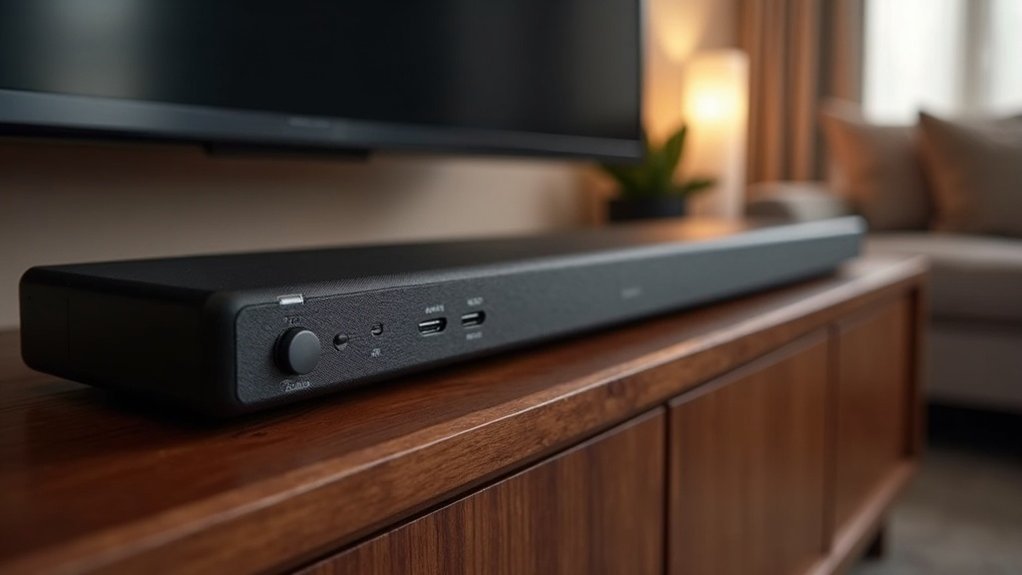
To support multichannel PCM, use HDMI eARC connections, as they provide the necessary bandwidth and low latency for high-fidelity audio. HDMI ARC may limit you to 5.1 channels and apply audio compression, while optical (TOSLINK) connections typically only handle 2.0 channels of PCM. Always ensure that your source devices, such as Blu-ray players and streaming devices, are configured to output multichannel PCM. Additionally, learn how to optimize your soundbar settings for an enhanced audio experience.
Key Takeaways
- HDMI eARC is the primary input that supports multichannel PCM, allowing for high-bandwidth uncompressed audio transmission, which enhances your soundbar experience.
- HDMI ARC can transmit 2.0 channel PCM, but it is limited and may introduce latency issues, potentially affecting sound quality in your setup.
- Optical (TOSLINK) connections only support 2.0 channel PCM and typically transmit compressed audio formats, which may not deliver the full soundbar capabilities you’re looking for.
- Many soundbars can decode advanced audio formats via HDMI inputs, but compatibility with multichannel PCM can vary by model, so it’s essential to check specifications before purchasing.
- To ensure optimal soundbar functionality, make sure your source devices are configured to output multichannel PCM.
Understanding Multichannel PCM
When you explore multichannel PCM (Pulse Code Modulation) in the context of soundbars, you’re delving into an uncompressed audio format that provides exceptional sound quality.
Multichannel PCM is designed to support multiple audio channels, making it perfect for high-fidelity soundbar systems. It can transmit audio data at a variety of sample rates and bit depths, such as 48kHz/16-bit or 96kHz/24-bit.
Unlike compressed formats like Dolby Digital, multichannel PCM preserves all original sound data, guaranteeing a crystal-clear listening experience.
To achieve optimal performance, it’s essential that both your soundbar and the source device are compatible with multichannel PCM, allowing the audio signal to remain uncompressed throughout the transmission, thereby enhancing your overall audio enjoyment.
HDMI ARC vs. HDMI Earc
When comparing HDMI ARC and eARC in the context of soundbars, you’ll notice significant differences in audio format support, particularly with multichannel PCM.
eARC offers higher bandwidth and lower latency, allowing for uncompressed audio and advanced formats that ARC simply can’t handle.
Additionally, compatibility with modern soundbars enhances performance, making eARC a superior choice for achieving high-quality audio experiences in your home theater setup.
Audio Format Support Differences
While both HDMI ARC and HDMI eARC are vital for connecting soundbars to audio sources, their support for audio formats differs significantly. HDMI eARC enables multichannel PCM audio, ensuring higher bandwidth and the ability to handle uncompressed formats, which is ideal for delivering superior sound quality through soundbars. On the other hand, HDMI ARC is restricted to 5.1 channels of lossy audio or 2.0 channels of PCM, often necessitating re-encoding for compatibility with soundbar systems.
| Feature | HDMI ARC | HDMI eARC |
|---|---|---|
| Multichannel PCM | Limited | Supported |
| Advanced Formats | Struggles | Supports Dolby Atmos |
| Bandwidth | Lower | Higher |
| Lip-sync Correction | No | Yes |
Bandwidth and Latency Considerations
As you evaluate the audio performance of soundbars using HDMI ARC versus HDMI eARC, it’s essential to consider bandwidth and latency, which significantly impact overall sound quality.
Here are key differences:
- Bandwidth: eARC supports up to 37 Mbps, allowing for uncompressed audio transmission, while ARC is limited to 10 Mbps, which can restrict audio quality from your soundbar.
- Latency: ARC may introduce sync issues due to audio recompression, while eARC reduces latency by enabling direct passthrough of high-quality audio signals, ensuring a better synchronized experience.
- Audio Formats: eARC supports multichannel PCM and advanced audio formats like Dolby Atmos, greatly enhancing your listening experience compared to ARC when paired with a soundbar.
Device Compatibility and Performance
Understanding the compatibility and performance differences between HDMI ARC and HDMI eARC is essential for optimizing your soundbar setup.
HDMI eARC supports multichannel PCM audio transmission, delivering uncompressed, high-quality sound from compatible devices, which is crucial for an immersive audio experience. In contrast, HDMI ARC is limited to 5.1 channels of lossy audio or 2.0 channels of PCM, which can restrict the fidelity of your soundbar’s output.
Devices utilizing HDMI eARC can transmit and receive higher bandwidth audio formats, including Dolby Atmos, allowing for a richer sound experience. Ensure your soundbar supports multichannel PCM over HDMI ARC, as not all models do.
For the best audio experience with your soundbar, prioritize devices that utilize HDMI eARC for enhanced performance.
Optical (TOSLINK) Connections
Optical (TOSLINK) connections are commonly used for audio transfer in soundbars but are limited to 2.0 channel PCM output.
If you’re considering using optical connections with your soundbar, keep these points in mind:
- They transmit compressed audio formats like Dolby Digital, but not uncompressed multichannel PCM, which can limit your soundbar’s performance.
- Optical connections are often inferior in audio quality compared to HDMI eARC, which supports higher fidelity and multichannel PCM, allowing you to experience richer sound.
- Modern sound formats, such as Dolby Atmos or DTS:X, require HDMI connections for compatibility, ensuring you get the best audio experience from your soundbar.
For optimal multichannel PCM output and to fully leverage your soundbar’s capabilities, you should choose HDMI.
USB Input Capabilities
While USB inputs on soundbars provide a convenient option for audio playback, they typically don’t support multichannel PCM audio effectively. These inputs are primarily designed for stereo audio or compressed formats such as MP3.
Some soundbars may be capable of playing multichannel audio files from USB drives, but their processing capabilities for PCM audio can be limited.
Due to USB’s bandwidth restrictions, most soundbars depend on HDMI (eARC/ARC) or optical connections to facilitate proper multichannel PCM transmission and decoding.
For the best audio performance, it’s advisable to use HDMI or optical connections instead of USB inputs when aiming for multichannel PCM playback.
Supported Audio Formats
When considering supported audio formats for soundbars, it’s crucial to pay attention to the connection types they offer.
HDMI, especially with eARC, is vital for transmitting multichannel PCM, while optical connections may restrict you to stereo or compressed formats.
Ensuring your soundbar can decode these formats correctly will significantly enhance your overall audio experience.
Supported Connection Types
To achieve ideal audio performance with soundbars, those that support Multichannel PCM primarily utilize HDMI eARC or ARC connections, which facilitate high-quality audio transmission from compatible devices.
Here are the supported connection types you should consider for your soundbar:
- HDMI eARC/ARC: This connection offers the best quality for multichannel audio formats, including Dolby Atmos.
- Optical Connections: While these can transmit PCM audio, they’re typically limited to 2-channel formats.
- HDMI Inputs: Many modern soundbars are equipped to decode advanced audio formats and support Multichannel PCM, significantly enhancing your listening experience.
Always check the manufacturer’s specifications to verify your soundbar’s compatibility with Multichannel PCM for optimal audio performance.
Audio Format Compatibility
Understanding audio format compatibility is essential for maximizing your soundbar’s performance, especially regarding Multichannel PCM.
Your soundbar can handle multichannel PCM through HDMI connections, particularly with HDMI eARC and ARC inputs. However, if you connect via optical output, you typically won’t get multichannel PCM, as it usually supports only Dolby Digital or stereo PCM.
Many soundbars can decode multichannel PCM from devices like Blu-ray players when properly connected. Remember, compatibility may vary by soundbar model and firmware, so always check the manufacturer’s specifications.
Additionally, verify your soundbar settings are configured correctly to enable multichannel PCM support for peak audio quality.
Configuration Settings for Soundbars
Configuring your soundbar for ideal multichannel PCM playback is essential for an immersive audio experience.
Achieving optimal multichannel PCM playback on your soundbar is crucial for an engaging audio experience.
Follow these steps to guarantee peak settings:
- Select the Right Connection: Use HDMI eARC for uncompressed multichannel PCM audio, ensuring compatibility between your soundbar and source device.
- Adjust Audio Mode: Set your soundbar to “Surround” or “Game” mode to enable multichannel PCM processing for the best sound experience.
- Verify Source Settings: Ensure that your source device is configured to output multichannel PCM, which allows for proper transmission to your soundbar.
Troubleshooting Common Issues
When troubleshooting common issues with multichannel PCM playback on your soundbar, it’s crucial to systematically identify the root cause of the problem.
Start by checking your connections; HDMI eARC is the best option for uncompressed audio, while optical connections may vary in capability.
Confirm that your soundbar settings are correctly configured, enabling options like “Surround” or “Bypass” modes.
Keep in mind that HDMI ARC supports a limited number of PCM channels, which could affect playback quality.
If you’re using a streaming device, verify that it’s set to output multichannel PCM and that your soundbar is configured to process this format effectively for the best possible audio experience.
Recommendations for Optimal Audio Quality
To achieve ideal audio quality with your soundbar, start by ensuring that both your source device and soundbar are set to output multichannel PCM.
Ensure your source device and soundbar are configured to output multichannel PCM for optimal audio quality.
Follow these recommendations:
- Connect via HDMI eARC: This connection supports high-quality, uncompressed multichannel PCM audio, enhancing your soundbar experience.
- Configure your devices: Make certain your source device (like Apple TV or Blu-ray player) is set to output multichannel PCM to fully utilize your soundbar’s capabilities.
- Experiment with sound modes: Utilize various sound modes on your soundbar to optimize the audio experience when playing multichannel PCM content, ensuring the best performance for different types of media.







