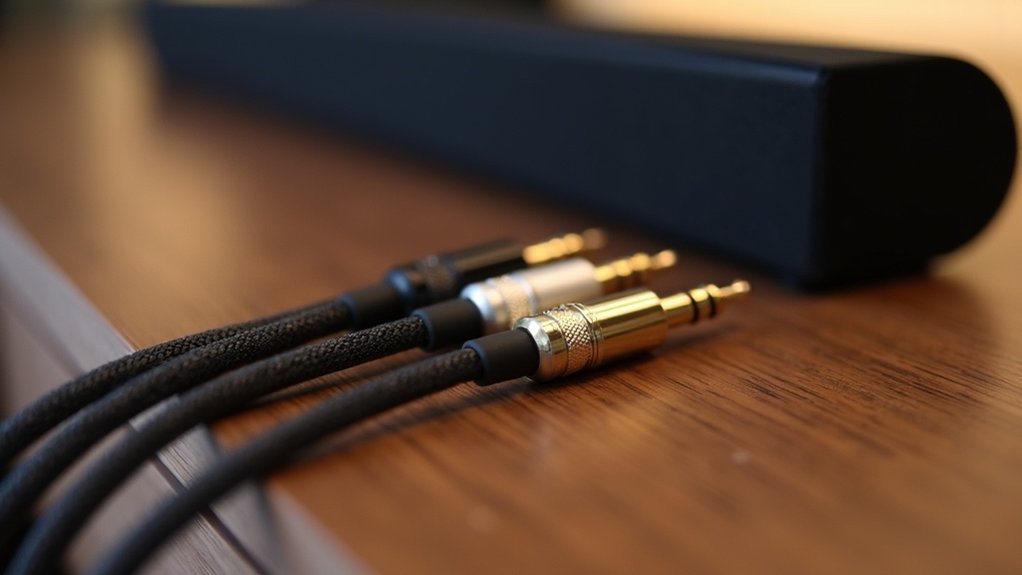
The length of your HDMI cable significantly impacts eARC reliability for soundbars. Longer cables can lead to signal degradation, resulting in audio dropouts and diminished performance. If you’re using cables under 15 feet, you’re likely in a good position. For lengths ranging from 15 to 25 feet, it’s advisable to choose high-quality cables to ensure optimal sound. Cables longer than 25 feet may introduce additional issues. To achieve the best audio performance from your soundbar, it’s crucial to understand cable specifications and their effect on sound quality.
Key Takeaways
- Longer HDMI cables can lead to signal degradation, which negatively impacts eARC reliability and audio playback quality for soundbars.
- The ideal HDMI cable length for soundbars is under 15 feet to minimize signal degradation and maintain audio integrity.
- For cables between 15-25 feet, it’s best to use high-quality options to prevent audio and video issues due to increased resistance.
- Cables exceeding 25 feet may experience significant audio dropouts; consider using active cables for longer distances to ensure optimal performance.
- Always ensure that HDMI cables support at least 18 Gbps bandwidth to fully utilize eARC features and lossless audio formats in your soundbar setup.
Understanding Earc and Its Benefits
One of the standout features of HDMI 2.1 that enhances your soundbar experience is eARC, or Enhanced Audio Return Channel. eARC significantly improves your audio quality by supporting lossless audio formats like Dolby TrueHD, which is crucial for creating an immersive surround sound environment.
When connecting your soundbar to your TV, eARC reduces cable clutter by allowing you to transmit audio signals through a single HDMI cable. This streamlined setup not only simplifies your connections but also ensures that audio and video remain perfectly synchronized during playback thanks to improved lip-sync correction.
To take full advantage of eARC’s capabilities, it’s essential to use high-quality cables that can handle the necessary bandwidth and to keep cable lengths short, preventing any potential signal degradation.
The Impact of HDMI Cable Length on Signal Quality
The length of your HDMI cable can significantly influence the performance of your soundbar, especially when utilizing eARC (Enhanced Audio Return Channel).
Longer HDMI cables can lead to signal degradation, adversely affecting audio playback quality. As cable length increases, so does resistance, making the connection more susceptible to interference from nearby devices, which can hamper sound clarity and performance.
For optimal results with your soundbar’s eARC functionality, it’s advisable to use shorter HDMI cables to minimize the risk of signal loss.
If longer lengths are unavoidable, consider investing in high-quality cables with effective shielding or active optical cables to ensure that you maintain strong signal integrity and high-quality audio transmission.
Importance of High-Quality HDMI Cables
When it comes to connecting your soundbar, high-quality HDMI cables are essential for preserving signal integrity, especially over longer distances.
These cables ensure that lossless audio formats transmit effectively, minimizing the risk of degradation. Investing in well-shielded cables not only enhances audio reliability but also mitigates potential interference, assuring an immersive sound experience that truly brings your favorite movies and music to life.
Signal Integrity Importance
To ensure optimal audio performance with eARC-enabled soundbars, prioritizing signal integrity is essential, especially by using high-quality HDMI cables.
When setting up your soundbar system, it’s important to invest in cables that minimize signal loss and support higher bandwidth for lossless audio formats.
Keep in mind that longer HDMI cables can experience degradation, which can negatively affect eARC performance; therefore, selecting well-shielded options is highly recommended. This choice guarantees reliable audio transmission, reduces connection issues, and enhances your overall listening experience.
For longer distances, consider using active optical cables as a robust alternative that maintains high audio quality while effectively overcoming signal degradation challenges.
Long-Distance Performance Considerations
As you consider the setup of your soundbar system, it’s vital to recognize that longer HDMI cables can significantly affect eARC reliability and audio quality. Increased resistance in these cables heightens susceptibility to interference, which can lead to audio dropouts and diminished clarity in your soundbar experience.
Investing in high-quality HDMI cables with robust shielding is crucial for maintaining peak eARC performance over extended distances. Additionally, ensure that your cables support the necessary bandwidth for eARC.
Alternatively, you might explore using active optical cables; these transmit signals via light, greatly reducing degradation compared to traditional HDMI cables, especially over longer lengths. This will help you enjoy the best possible sound quality from your soundbar setup.
Recommended Cable Lengths for Optimal Performance
While ideal performance is crucial for soundbars utilizing eARC connections, selecting the right HDMI cable length is essential. For optimal results, keep your HDMI cables under 15 feet to minimize signal degradation. If you need to exceed 25 feet, be aware that you may encounter audio and video issues due to resistance and interference. Using high-quality cables with superior shielding can help maintain signal integrity at longer lengths. Below is a guide for recommended cable lengths:
| Cable Length | Recommendation |
|---|---|
| 0-15 feet | Ideal for soundbars |
| 15-25 feet | Use high-quality cable |
| 25-35 feet | Consider active cables |
| 35+ feet | Avoid if possible |
| Any length | Check bandwidth support |
Alternatives for Connecting Over Long Distances
When connecting soundbars over long distances, you should consider active optical cables as a reliable alternative.
These cables transmit audio signals using light, drastically reducing the risk of degradation and interference.
Additionally, signal repeaters and extenders can further enhance the reliability of your eARC connection in expansive home theater setups.
Active Optical Cables
If you’re looking for reliable connections for your soundbar setup, active optical cables present a compelling alternative to traditional copper HDMI cables. They transmit HDMI signals using light, drastically reducing signal degradation.
Here’s why you should consider them for your soundbar:
- Maintain high bandwidth, supporting advanced audio formats for eARC, ensuring you get the best sound quality from your soundbar.
- Effective over lengths exceeding 100 meters without quality loss, perfect for larger rooms or setups.
- Thinner and more flexible design simplifies installation, allowing for easy placement of your soundbar in tight spaces.
- Certified for HDMI 2.1, ensuring compatibility with the latest sound features.
With these advantages, active optical cables are ideal for enhancing your soundbar experience, delivering exceptional audio quality for movies, music, and more.
Signal Repeaters and Extenders
For setups requiring long-distance connections between your soundbar and source devices, signal repeaters and extenders provide an effective solution to maintain reliable eARC performance.
These devices regenerate HDMI signals, allowing for longer runs without sacrificing audio quality. Active HDMI extenders can transmit signals up to 100 meters using Cat 6 cables or fiber optics, significantly exceeding standard cable limitations.
They also help reduce interference and attenuation issues that often occur with lengthy HDMI connections. When selecting extenders, ensure they specifically support HDMI 2.1 and eARC to guarantee compatibility with high-quality audio formats, significantly enhancing your immersive sound experience with your soundbar.
Common Earc Connection Issues
While enjoying your soundbar’s rich audio experience, you may encounter common eARC connection issues that can disrupt sound quality. These problems often stem from cable length and quality.
Consider the following factors to ensure optimal performance:
- Longer HDMI cables can degrade the signal, leading to audio dropouts.
- Increased resistance in longer cables may compromise eARC reliability.
- High-quality HDMI cables are essential to minimize interference over distance.
- Ensure that your cables support the necessary bandwidth for eARC functionality.
Tips for Ensuring Reliable Earc Performance
To ensure reliable eARC performance with your soundbar, it’s essential to prioritize using shorter HDMI cables, as they significantly reduce the risk of signal degradation and interference.
Ensure your HDMI cables support a bandwidth of at least 18 Gbps to effectively transmit lossless audio formats. Investing in high-quality cables with robust shielding can help minimize signal loss, particularly over longer distances.
If you need to use longer cables, consider active optical cables, which are less prone to degradation.
Lastly, regularly check that your devices are compatible with HDMI version 2.1 to fully leverage eARC features, ensuring an enhanced and dependable audio experience with your soundbar.







