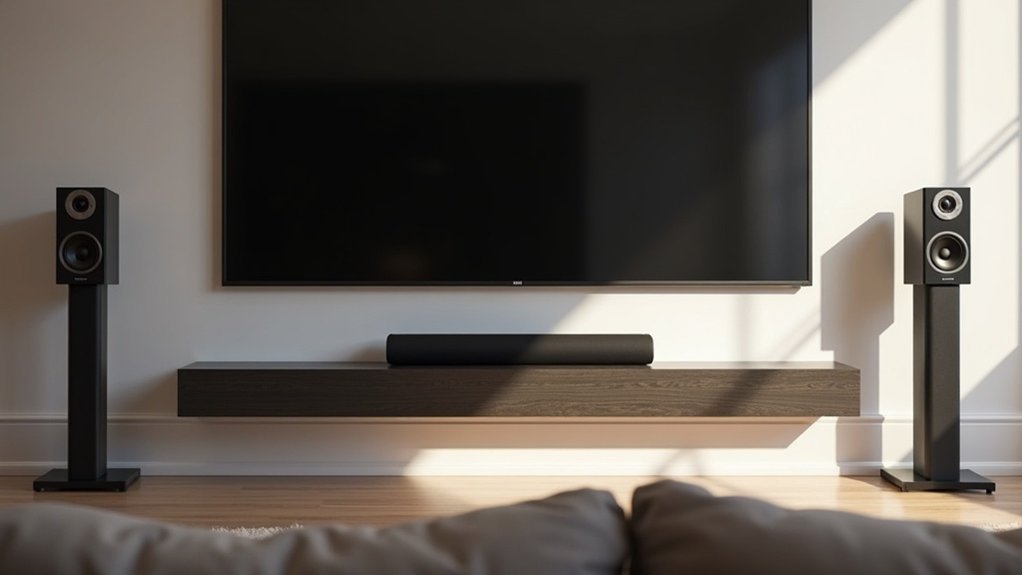
To use a soundbar with rear speakers, first check compatibility between your soundbar and speaker setup. Ensure your soundbar supports multi-channel audio and follow the connection process using high-quality HDMI or optical cables for the best sound quality. If you’re connecting passive speakers, link them to a receiver’s speaker outputs. For wireless options, initiate the ID SET process and confirm secure connections to ensure optimal performance. Don’t forget to adjust audio levels for balance to enhance your overall listening experience. For additional tips on optimizing your audio setup and troubleshooting any issues, explore our resources.
Key Takeaways
- Ensure your soundbar supports multi-channel audio configurations and is compatible with your rear speaker setup.
- Connect passive soundbars to a receiver’s speaker outputs for wired rear speakers; use HDMI ARC or optical for active soundbars.
- Verify the soundbar and rear speakers are from the same brand for optimal coherence and performance.
- Follow the ID SET process for wireless rear speakers, ensuring secure connections and proper power settings.
- Troubleshoot connection issues by checking speaker wire connections and referring to the soundbar’s user manual for guidance.
Understanding Soundbar and Rear Speaker Compatibility
When you’re looking to enhance your audio experience with a soundbar, it’s crucial to ensure compatibility with rear speakers.
Check if your soundbar supports multi-channel audio configurations, such as 5.1 or 7.1, for optimal performance. Many soundbars are designed to work with specific rear speaker kits, so be sure to consult the specifications or user manual.
Remember, active soundbars typically don’t support passive rear speakers, while passive models provide more flexibility.
Additionally, verify that your soundbar supports Dolby Atmos for a truly immersive experience.
Lastly, familiarize yourself with the setup process, including necessary connections and ID SET procedures, to ensure everything functions seamlessly.
Choosing the Right Soundbar for Your Setup
Choosing the right soundbar for your setup hinges on understanding your audio needs and compatibility requirements.
If you have existing wired rear speakers, consider a passive soundbar like the Sonance SB46-65, which integrates easily with an AVR, such as a Yamaha receiver. Active soundbars typically don’t support wired speakers, limiting your flexibility.
For a balanced audio experience, pair a three-channel passive soundbar with an active subwoofer. Additionally, verify that the soundbar brand matches your in-wall speakers for good sound and aesthetic coherence.
Systems like Sonos allow seamless integration with rear speakers while providing built-in streaming services, making them a versatile choice for your audio setup.
Connecting Your Soundbar to the Receiver
Connecting your soundbar to the receiver involves confirming compatibility and using the right cables for optimal performance.
Follow these steps to achieve ideal audio quality:
- Check that your receiver has HDMI ARC or optical inputs that match your soundbar’s outputs.
- Use a high-quality HDMI cable for HDMI ARC or an optical cable for connectivity.
- For passive soundbars, connect to the receiver’s speaker outputs to utilize wired rear speakers.
- If you have wireless rear speakers, follow the ID SET process outlined in your soundbar’s manual.
- Ensure all connections are secure and color-coded to avoid audio issues.
Wiring Your Rear Speakers to the Receiver
When integrating your rear speakers with your soundbar, it’s essential to ensure compatibility with your specific soundbar model.
Utilize color-coded speaker cables for accurate connections, and adhere to the left and right channel assignments to achieve optimal audio performance.
Compatibility With Soundbar Models
To ensure a successful integration of rear speakers with your soundbar, it’s essential to verify compatibility between your soundbar model and your existing audio setup.
Consider the following points:
- Confirm whether your soundbar supports additional wired speakers.
- Passive soundbars, such as the Sonance SB46-65, are compatible with wired rear speakers.
- If using a passive soundbar, a Yamaha Receiver RX-A780 can be used to connect rear speakers.
- Always check specifications for speaker impedance and power ratings to ensure compatibility.
- For optimal sound quality, it’s advisable to match the brand of your left and right speakers with that of the soundbar.
This approach will help create a cohesive audio experience and maximize performance in your soundbar setup.
Connection Techniques and Tips
Before you begin wiring your rear speakers to the soundbar, ensure that you have all necessary equipment ready for a smooth setup.
If you’re using wireless rear speakers, confirm that you have a compatible wireless receiver module. For traditional wired speakers, connect them to the soundbar using the appropriate ports.
Utilize color-coded speaker wires for accurate connections; ensure that metal wire contacts the metal tab while avoiding insulation clamping.
Power off the soundbar before initiating the ID SET process, and monitor the LINK LED indicator for a solid blue glow after setup.
If you encounter any issues, double-check all connections for security and accuracy.
Balancing Audio Levels for Optimal Sound
Achieving ideal sound with your soundbar requires careful balancing of audio levels between the soundbar and any rear speakers you may have. Here’s how to ensure a harmonious audio experience:
- Confirm that your rear speakers are compatible with your soundbar (preferably 5.1 models).
- Adjust the volume levels of your rear speakers using the soundbar settings to create a balanced audio mix.
- Utilize the ID SET process to establish a reliable communication link between your soundbar and rear speakers.
- Regularly calibrate your audio settings, especially when using a combination of wired and wireless setups.
- Consider using an audio calibration tool or app specifically designed for soundbars to fine-tune your sound levels for the best performance.
Exploring Wireless Rear Speaker Options
How can you enhance your home theater experience with a soundbar and wireless rear speakers? By connecting wireless rear speakers to your soundbar, you eliminate the clutter of speaker wires while enjoying immersive audio.
First, check if your soundbar supports wireless rear speakers by reviewing its specifications. The audio processing capabilities of your soundbar, particularly in 5.1 systems, will significantly impact your experience.
Ensure your soundbar is compatible with wireless rear speakers by checking its specifications, especially for optimal 5.1 audio processing.
To connect the speakers, you’ll typically perform an ID SET process for optimal performance. Some models, such as the SWA-9500S, simplify this setup with factory-coded speakers that only require plugging in.
Enjoy a cleaner, more dynamic sound environment with the combination of a soundbar and wireless rear speakers.
Troubleshooting Common Connection Issues
While connecting your soundbar to wireless rear speakers can significantly enhance your audio experience, several common issues may arise that require troubleshooting.
Here are key points to consider:
- Ensure that speaker wires are properly connected to the wireless receiver module.
- Always power off the soundbar before initiating the ID SET process.
- Check if the LINK LED indicator on the receiver glows solid blue after setup, indicating a successful connection.
- Verify that the metal wire is making contact with the metal tab on the speaker; avoid clamping down on insulation.
- If you continue to experience audio problems, refer to your user guide or reach out to Samsung Support for assistance.
Addressing these connection issues will help you enjoy the best sound quality from your soundbar.
Enhancing Your Audio Experience With Additional Equipment
To truly elevate your audio experience with soundbars, consider integrating additional equipment that complements your setup.
Choose a soundbar model that supports a 5.1 or 7.1 system for true surround sound, ensuring compatibility with your rear speakers. If your soundbar is wireless, utilize a receiver module and follow the ID SET process for a secure connection.
For improved surround sound, consider passive soundbars like the Sonance SB46-65, which work seamlessly with wired rear speakers.
Additionally, explore options like the Sonos soundbar combined with a Sonos amp, allowing for easy integration with rear speakers and access to built-in streaming services for an enhanced audio experience.







