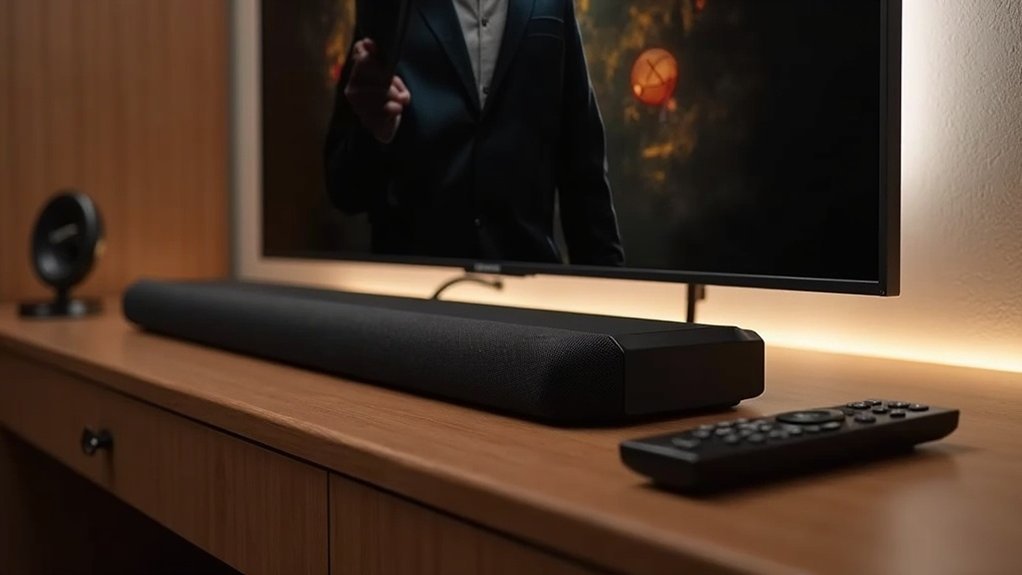
To use a soundbar with hotel TVs, connect it via HDMI ARC to achieve optimal audio quality, or utilize an optical cable if HDMI isn’t available. For a wireless audio experience, activate Bluetooth and pair your devices. It’s essential to adjust the TV’s audio settings to ensure the soundbar is enabled. This setup will enhance your sound experience while keeping the environment peaceful. If you’re interested in further optimizing your audio setup, there are additional tips to explore on this topic.
Key Takeaways
- Connect the soundbar to the hotel TV using HDMI ARC for superior audio quality, or use an optical cable if HDMI is unavailable.
- Pair the soundbar with the TV via Bluetooth for a wireless connection, ensuring the soundbar is in pairing mode.
- Adjust the TV’s audio settings to enable digital audio output when using an optical connection, and select the appropriate input on the soundbar.
- Utilize convenience features like HDMI-CEC to control the soundbar with the TV remote and automatic input switching for seamless transitions.
- Customize sound settings based on guest preferences while minimizing disturbances to ensure a pleasant listening experience.
Compatibility With Hotel TVS
When you’re looking to enhance your soundbar experience, compatibility is key. A soundbar that supports HDMI ARC connection simplifies your setup, allowing for improved audio output and seamless integration with your TV.
Dampf AIR soundbars connect easily, ensuring you enjoy rich sound quality. With Bluetooth 5.0 technology, you can stream audio wirelessly from your devices, making it convenient for everyone.
Plus, the automatic switching between TV input and Bluetooth means you won’t have to fiddle with settings. If you want an immersive audio experience, consider connecting up to six speakers to create the perfect atmosphere in your space.
Connection Methods
After ensuring your soundbar is compatible with the hotel TV, you can explore various connection methods to enjoy enhanced audio.
If the TV has HDMI ports, connect via the HDMI-ARC port for superior sound quality. If that’s unavailable, use a digital optical cable, making sure the audio settings on the TV are set to output via optical.
Connect your soundbar through the HDMI-ARC port for the best audio experience, or use a digital optical cable if necessary.
For older TVs without HDMI or optical connections, analog RCA connectors (red and white) can work. Additionally, you can pair your soundbar and TV wirelessly using Bluetooth for convenient audio streaming.
Always verify the correct audio output type is selected for the best performance with your soundbar.
HDMI Cable Connection
Connecting your soundbar to a hotel TV using an HDMI cable is a straightforward way to enhance your audio experience.
First, locate the HDMI port on the TV labeled ARC or eARC. Then, connect one end of the HDMI cable to your soundbar’s HDMI input marked “to TV” and the other end to the TV’s HDMI ARC/eARC port for optimal sound quality.
Ensure both devices are powered on to establish communication. If the hotel TV has multiple HDMI ports, select the correct input source to receive audio from your soundbar.
Enjoy an elevated sound experience during your stay!
Optical Cable Connection
If you’re looking for a reliable audio connection to enhance your soundbar experience with a hotel TV, using an optical cable is a great option.
To set it up, plug one end of the optical audio cable into your soundbar’s optical input and the other into the TV’s optical output.
Next, adjust the TV’s audio settings to enable digital audio out and select optical.
Don’t forget to choose the correct input on your soundbar to receive audio from the optical connection.
If the hotel TV lacks an optical output, check for HDMI ARC or other alternatives for ideal sound quality with your soundbar.
Bluetooth Pairing
When you’re ready to pair your soundbar with the hotel TV, start by ensuring that your soundbar is in pairing mode.
Navigate to the TV’s Bluetooth menu and select your soundbar from the list to establish the connection.
Monitor the audio quality closely and be prepared to troubleshoot any potential connection issues to enhance your overall sound experience.
Pairing Process Steps
To successfully pair your soundbar with a hotel TV via Bluetooth, start by ensuring the soundbar is in pairing mode. Use the remote control to access the TV’s Bluetooth settings. Here’s a quick guide:
| Step | Action | Notes |
|---|---|---|
| 1 | Enable pairing mode on the soundbar | Look for an indicator light |
| 2 | Access the Bluetooth settings on the TV | Search for the soundbar in the list |
| 3 | Select the soundbar | Confirm any displayed pairing code |
| 4 | Enjoy your audio | Note that Bluetooth 5.0 enhances streaming quality |
This guide is tailored for soundbar users looking to enhance their audio experience while staying in a hotel.
Audio Quality Considerations
While Bluetooth pairing offers convenience for soundbars, it’s essential to evaluate the potential impact on audio quality. Streaming audio via Bluetooth may cause degradation in the audio signal or introduce lag, which can affect your overall listening experience.
For the best sound, consider using a wired connection like HDMI input or optical cables instead. With soundbars like the Dampf AIR sound system, you can enjoy seamless audio streaming, but it’s still wise to check your settings to optimize performance.
Additionally, customizing the soundbar’s output level can enhance comfort and privacy, especially in hotel environments where disturbances may occur.
Troubleshooting Connection Issues
If you’re having trouble connecting your soundbar to a hotel TV via Bluetooth, don’t worry—troubleshooting these issues is often straightforward. Start by checking the Bluetooth settings on both devices to ensure they’re in pairing mode. Use your soundbar’s remote to reset it if needed. If the soundbar doesn’t appear on the TV, try restarting it. Additionally, disconnect any other devices to avoid confusion when connecting multiple devices. If you experience audio lag, consider using a wired connection for better sound quality.
| Issue | Solution | Notes |
|---|---|---|
| Soundbar not pairing | Restart both devices and re-pair | Check Bluetooth settings |
| Audio lag | Switch to HDMI-ARC or optical cable | Improves performance |
| Device not discoverable | Check if Bluetooth is enabled | Restart the TV if necessary |
Adjusting TV Audio Settings
To get the best sound from your soundbar, start by adjusting the audio output settings on your TV to match the connection type you’re using with the soundbar.
It’s also important to set the volume levels appropriately and explore various sound modes available on your soundbar to enhance your viewing experience.
Making these adjustments will help you enjoy clearer audio and an overall richer sound quality, maximizing the performance of your soundbar.
Audio Output Selection
Adjusting the audio output settings on a hotel TV is essential for enjoying the best sound experience through your soundbar.
Begin by powering on the TV and navigating to the settings menu. If you’re using an HDMI input, set the audio output to “ARC” or “eARC” to ensure optimal audio quality through your soundbar’s HDMI connection.
For an optical connection, confirm that the TV’s digital audio output is configured to “optical.”
If you’re connecting via Bluetooth, ensure your soundbar is properly paired and selected in the Bluetooth settings.
Correctly configuring these audio output settings will significantly enhance your audio experience while staying in the hotel.
Volume Level Adjustment
While enjoying your favorite shows in a hotel room, fine-tuning the volume level on your soundbar can greatly enhance your experience.
Start by accessing the soundbar’s audio settings and verify the output is set correctly, such as HDMI ARC or optical.
Use the remote or buttons on the soundbar to adjust the audio levels to your preference.
Remember to check for any output level limiting options to avoid disturbing neighboring guests.
Keeping the soundbar powered on ensures seamless audio performance.
Enjoy your viewing!
Sound Mode Configuration
Configuring the sound mode on your soundbar can greatly enhance your audio experience while enjoying content on your hotel TV.
Start by accessing the soundbar’s settings to set the audio output to HDMI ARC or optical if you’re using a direct connection to the TV. Choose the appropriate sound mode—options like “Movie,” “Music,” or “Speech” can optimize audio based on what you’re watching.
If using Bluetooth, ensure the soundbar is selected as the audio output device on the TV to avoid any lag.
Lastly, enable HDMI-CEC to switch between audio sources effortlessly and control the soundbar with your TV remote for added convenience.
Optimizing Sound Quality
To enhance sound quality when using a soundbar with hotel TVs, start by connecting the soundbar via HDMI-ARC. This connection ensures superior audio quality and seamless integration with the TV.
Next, adjust the sound output levels to prevent disturbances to neighboring guests, as soundbars are designed to minimize noise in hotel environments.
Customize the audio profile settings to cater to different guest preferences, ensuring a pleasant listening experience without the need for an external sub-woofer.
Finally, utilize the automatic switching feature between TV input and Bluetooth for smooth transitions when guests switch between watching TV and streaming audio.
Enhancing Guest Experience
As guests seek comfort and convenience during their hotel stays, integrating a soundbar like the Dampf AIR can significantly enhance their audio experience.
These soundbars feature seamless connections via HDMI-ARC or Aux-in, making it easy to improve audio quality. Guests can effortlessly switch between TV and Bluetooth, allowing them to stream from their devices without any hassle.
The no-touch operation promotes a cleaner environment by reducing contamination from remotes. Additionally, customizable sound levels ensure a pleasant audio experience while maintaining a tranquil ambiance.
With its compact design and home theater-quality sound, the Dampf AIR is an exceptional amenity for any hotel room, making it a must-have for enhancing guest satisfaction.







