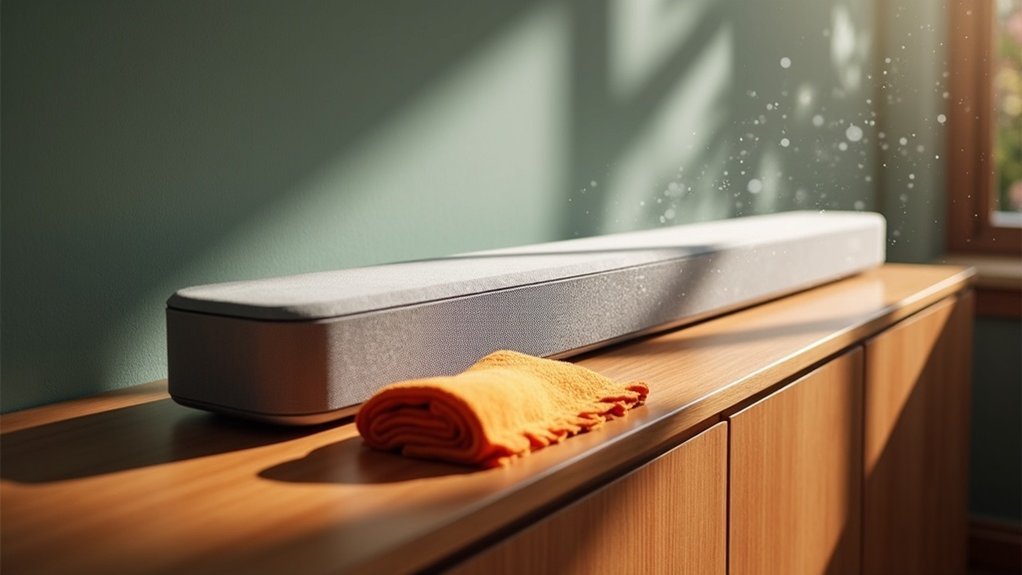
To protect your soundbar from dust, start by using a soft, dry cloth for regular dusting and avoid moisture on the speaker grilles. Position your soundbar on a flat, stable surface with ample airflow, ensuring it’s kept away from direct sunlight. Consider using a tailor-made protective cover that fits snugly and is made of breathable materials to shield it from dust. Organize any cables with Velcro ties to prevent clutter and minimize dust accumulation. Stay tuned for more cleaning routines and maintenance tips specifically for your soundbar.
Key Takeaways
- Regularly dust your soundbar with a soft, dry cloth to prevent dust buildup and keep it looking pristine.
- Use a custom protective cover when the soundbar is not in use to protect it from dust and debris.
- Place the soundbar in a dust-free area, away from open windows and high-traffic zones to reduce exposure to dust.
- Implement effective cable management to minimize dust accumulation around and on the soundbar.
- Create a daily cleaning routine to ensure consistent upkeep and protection against dust for your soundbar.
Dust It Off (the Right Way)
To keep your soundbar looking and performing its best, regular dusting is essential. Use a soft, dry cloth for effective dust removal on your soundbar’s surface; this prevents scratches and maintains its sleek appearance.
Regular dusting with a soft, dry cloth preserves your soundbar’s appearance and performance, preventing scratches and ensuring longevity.
For stubborn smudges, slightly dampen the cloth, but avoid moisture on the speaker grilles to prevent damage.
Additionally, utilize a vacuum or a can of compressed air to clean the grilles, reducing dust buildup that could affect sound quality.
Establishing a consistent cleaning routine is vital, especially in high dust environments, ensuring your soundbar remains both aesthetically pleasing and functionally ideal.
Place It Where It Can Breathe
After giving your soundbar a thorough dusting, it’s essential to consider its placement for optimal performance. Ensure that it is positioned on a flat, stable surface with plenty of room for airflow. Avoid placing it in direct sunlight or near heat sources that could harm its components. Make sure that the vents are unobstructed to prevent overheating. Consider wall mounting or utilizing shelves that allow for improved airflow. Regularly check its position to ensure it continues to function at its best.
| Placement Tips | Importance | Action Needed |
|---|---|---|
| Flat Surface | Stability | Ensure level positioning |
| Adequate Space | Airflow | Keep a few inches clear |
| No Direct Sunlight | Prevent Overheating | Relocate if necessary |
| Unobstructed Vents | Ideal Performance | Inspect regularly |
| Wall Mounting | Enhanced Airflow | Install securely |
Use Protective Covers
Using protective covers for your soundbar is an effective way to shield it from dust and debris while enhancing its visual appeal. Tailor-made covers not only ensure a snug fit but also facilitate easy installation and removal.
By regularly utilizing these covers, you can significantly reduce the frequency of cleaning and help maintain optimal sound quality. Choose breathable fabrics to prevent moisture buildup while providing essential protection for your soundbar.
Here are some benefits of using protective covers:
- Lightweight and durable materials enhance the longevity of your soundbar
- Custom designs offer better protection compared to generic options
- Easy installation and removal for user convenience
- Helps maintain the ideal condition and performance of your soundbar
Manage Those Pesky Cables
Managing those pesky cables is essential for maintaining a clean and efficient setup around your soundbar. Using cable organizers such as Velcro ties or sleeves can help arrange cords neatly and prevent tangling. Regularly inspecting these cables for fraying or looseness is crucial, as damaged cables can negatively impact sound quality. If possible, consider switching to wireless connections, which can significantly reduce clutter. Properly securing cables minimizes movement, keeping dust at bay and enhancing your soundbar’s performance.
| Action | Benefit |
|---|---|
| Use Velcro ties | Prevents tangling and dust build-up |
| Inspect cables | Ensures optimal sound performance |
| Switch to wireless | Reduces clutter and dust exposure |
| Secure cables | Minimizes dust movement |
| Organize visually | Enhances aesthetic appeal |
Regular Cleaning Routines
To keep your soundbar in top condition, establishing a regular cleaning routine is crucial. Dedicate about 15 minutes daily to wipe down the soundbar with a soft, dry cloth. This prevents dust accumulation and maintains sound quality.
Establish a daily 15-minute cleaning routine to keep your soundbar dust-free and ensure optimal sound quality.
- Use a vacuum or compressed air to clean the speaker grilles gently.
- Inspect and replace any damaged cables to prevent connectivity issues.
- Involve family members in the cleaning process for consistency.
- Consider covering the soundbar with a lint-free, tightly knit microfiber cloth when not in use.







