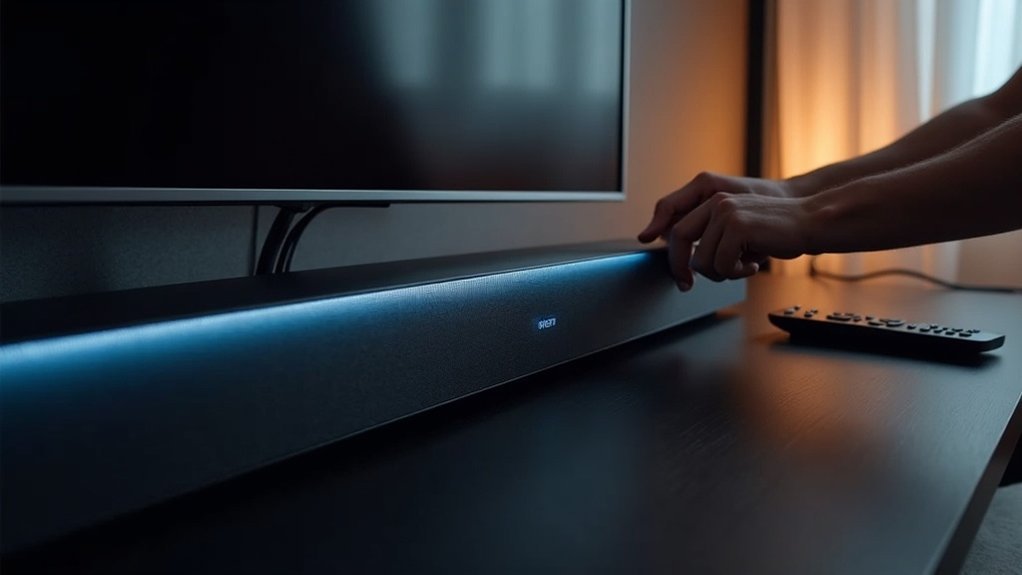
To power cycle your soundbar, unplug it from the outlet and wait for 30 seconds to 1 minute. This brief pause allows it to reset its internal systems. After the wait, plug it back in and turn it on. If your specific soundbar model permits, you can also perform a soft reset by holding the power button for 10 seconds. Should issues persist after these steps, consider exploring additional troubleshooting methods and brand-specific instructions to enhance your soundbar’s performance.
Key Takeaways
- Unplug the soundbar from the power outlet and wait for 30 seconds to 1 minute.
- Plug the soundbar back in and turn it on to reset the system.
- For a soft reset, hold the power button for 10 seconds if available.
- Power cycle the soundbar if it is unresponsive, experiencing connectivity issues, or if the audio quality is poor.
- Regular power cycling can enhance the performance of your soundbar and help prevent glitches.
Understanding the Power Cycle Process
When your soundbar experiences issues, understanding the power cycle process can be a game changer.
Power cycling a soundbar involves turning it off and unplugging it from the power source for about 30 seconds to 1 minute. This quick break helps reset its internal systems, clearing temporary memory and resolving minor glitches or connectivity issues.
Power cycling your soundbar by unplugging it for 30 seconds can effectively clear glitches and improve performance.
By allowing your soundbar to recalibrate, you might even notice an improvement in performance. Regularly power cycling can prevent frequent disruptions, ensuring your soundbar operates smoothly and efficiently.
It’s a simple yet effective method to maintain peak functionality and enhance your listening experience with your soundbar.
Step-by-Step Guide to Power Cycling Your Soundbar
Power cycling your soundbar is a straightforward process that can quickly resolve various issues.
First, unplug the soundbar from the power outlet and wait for at least 30 seconds to drain any residual power. After this waiting period, plug it back in and turn it on to reset the internal system.
If your soundbar has a power button, you can also hold it down for 10 seconds while plugged in to initiate a soft reset. For models without a remote, use the physical buttons to power off and on.
Power cycling can fix connection problems, unresponsiveness, and performance glitches, ensuring your soundbar operates optimally.
When to Power Cycle Your Soundbar
You should power cycle your soundbar if it becomes unresponsive or if you’re experiencing connectivity issues with your devices.
Additionally, if the audio quality seems off, such as distorted sound or inconsistent output, a quick reset might help.
Regularly performing this action can enhance your soundbar’s performance and resolve minor glitches.
Unresponsive Soundbar Issues
If your soundbar becomes unresponsive, it might be time to consider power cycling it as a troubleshooting step.
Here are some signs that indicate you should contemplate this:
- The indicator lights are solid and don’t change.
- You can’t connect your soundbar to any devices.
- Remote controls or commands aren’t functioning.
To power cycle your soundbar, unplug it for at least 30 seconds, then plug it back in. This simple action often resets internal systems, potentially resolving your issues.
If your soundbar remains unresponsive after power cycling, it may indicate deeper technical problems that require further troubleshooting.
Connectivity Problems Resolution
When connectivity problems arise with your soundbar, power cycling it can often be the quickest and most effective solution.
To do this, unplug the soundbar from the power source, wait about 10 seconds, and then plug it back in. This simple step can reset its internal systems and resolve issues like unresponsiveness or failure to connect to devices.
If problems persist after power cycling your soundbar, check your Wi-Fi network and ensure the soundbar is within range of your router.
Further troubleshooting might involve checking for firmware updates or inspecting HDMI connections to achieve a resolution for connectivity issues with your soundbar.
Audio Quality Improvements
Power cycling your soundbar can significantly enhance audio quality by resetting the device and resolving any glitches that may impact sound performance.
Here are some scenarios when you should consider power cycling your soundbar:
- You notice distorted audio playback.
- There are occasional sound dropouts or interruptions.
- The soundbar doesn’t respond when you adjust the volume.
To power cycle your soundbar, simply unplug it for at least 10 seconds before reconnecting it.
Regularly power cycling your soundbar can improve audio clarity and stability, particularly after software updates or adjustments to settings.
Make it a routine practice to ensure optimal sound performance and enjoy an uninterrupted listening experience.
Troubleshooting After Power Cycling
After you power cycle your soundbar, it’s essential to verify that it reconnects to your devices or apps, as this step can often fix any lingering connectivity issues.
If your soundbar remains unresponsive, consider performing a hard reset, especially for certain models.
Additionally, check your remote control; power cycling won’t address issues like dead batteries.
Inspect all cables and connections to ensure they’re secure, as loose connections can lead to ongoing audio problems.
For specific troubleshooting steps, consult your soundbar’s manufacturer’s guide, since different models may have unique requirements for effectively resolving issues.
Alternative Reset Methods for Different Brands
When it comes to resetting your soundbar, various brands have distinct methods that can be more effective than a standard power cycle.
For example, Vizio and LG soundbars require unplugging, but the wait times between models differ.
Familiarizing yourself with these brand-specific reset techniques can help you quickly resolve issues and enhance your overall listening experience.
Brand-Specific Reset Instructions
Resetting your soundbar can resolve many issues, and each brand has its own specific method for power cycling.
Here’s how to do it for common soundbars:
- Vizio: Unplug, wait 10 seconds, then plug it back in.
- Samsung: Turn off, unplug for 30 seconds, and reconnect.
- LG: Turn off, unplug, hold the power button for 5 seconds, then plug it back in.
- Sony: Disconnect for a minute, then plug it back in.
- JBL: Unplug, hold the power button for 10 seconds, then reconnect.
Following these steps can help refresh your soundbar’s system effectively.
Common Reset Techniques
Power cycling your soundbar can often resolve a variety of issues, and there are alternative reset methods tailored to different brands that may not require a remote.
For Vizio soundbars, you can reset by holding down the power button for approximately 10 seconds.
Samsung users can perform a soft reset by pressing the “Power” and “Volume Down” buttons together until a reset confirmation appears.
LG soundbars typically reset by pressing “Mute” and “Volume Down” simultaneously for a few seconds.
Always refer to your user manual or the manufacturer’s website for accurate instructions specific to your soundbar model when attempting to power cycle or reset your device.
User-Shared Experiences
How can users find alternative reset methods for their soundbars? Community experiences provide insights into effective techniques.
Here are three popular power cycle methods:
- Samsung Soundbars: Hold the power button for a few seconds for a soft reset—confirmation mightn’t appear.
- Vizio Soundbars: Power off, unplug for a few minutes, then plug it back in. If needed, try specific button combinations for a hard reset.
- Connectivity Issues: Disconnect from power, wait briefly, then reconnect. Some users also recommend resetting the router to resolve app-related problems.
These methods can help restore functionality and improve your overall soundbar experience.
User Experiences and Tips for Soundbar Issues
When troubleshooting soundbar issues, many users have found that sharing their experiences can provide valuable insights and effective solutions.
Power cycling a soundbar—unplugging it, waiting 30 seconds, and plugging it back in—often resolves minor problems. If you’re still facing issues, consider performing a hard reset, since soft resets may not provide confirmation messages.
Power cycling your soundbar can often fix minor issues; if problems persist, try a hard reset for better results.
Users frequently report success in fixing pairing problems by power cycling both the soundbar and the connected device. Additionally, keep in mind that eco mode can affect responsiveness, so power cycling might help restore functionality.
Online forums are excellent resources for learning from others’ troubleshooting experiences related to soundbars.







