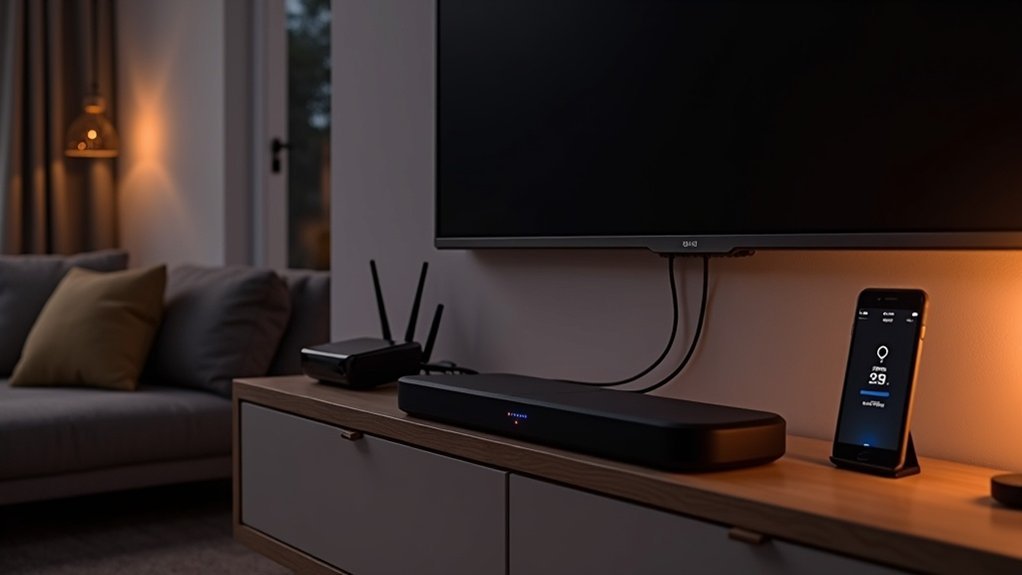
To improve Wi-Fi stability on your soundbar, position your router centrally and elevate it to avoid obstructions. Ensure the soundbar is at least 18 inches away from other electronics, like cordless phones and baby monitors, which can cause interference. Regularly check your Wi-Fi signal strength and consider using a dual-band router or mesh system for larger areas to enhance your soundbar’s connectivity. If issues persist, testing a wired connection could help. Explore more tips to optimize your soundbar experience as you continue.
Key Takeaways
- Position your router centrally and elevate it to enhance Wi-Fi coverage for your soundbar while minimizing obstructions.
- Keep at least 18 inches of space between your soundbar and other electronic devices to reduce potential interference.
- Regularly adjust the wireless channel settings on your router to decrease interference from neighboring networks that may affect your soundbar’s performance.
- Consider upgrading to a dual-band router or implementing a Wi-Fi mesh system for better connectivity and performance, especially in larger spaces where your soundbar is used.
- Test your soundbar with a wired connection to determine if wireless issues are due to the Wi-Fi signal, ensuring optimal audio performance.
Identifying Wireless Interference
When it comes to improving your soundbar’s performance, pinpointing wireless interference is essential. Random speaker dropouts or flickering blue LEDs often signal disruptions from nearby devices operating on similar frequencies, like cordless phones or baby monitors.
These devices can interfere with your soundbar’s wireless signal, affecting audio quality. To identify the source, temporarily turn off nearby electronics and observe any performance changes.
Additionally, ensure there’s a distance of at least 18 inches (0.5 meters) between your soundbar and other devices to minimize wireless interference. Proper placement and awareness of surrounding electronics can significantly enhance your soundbar’s wireless performance.
Typical Causes of an Unstable WiFi When Streaming Music
When streaming music through your soundbar, several factors can lead to an unstable Wi-Fi connection.
Signal obstructions like walls and furniture, along with the distance from your router, can weaken the signal strength, affecting your soundbar’s performance.
Additionally, interference from other electronic devices may disrupt your wireless connectivity, making it challenging to enjoy uninterrupted audio playback through your soundbar.
Signal Obstructions and Barriers
Signal obstructions and barriers can significantly impact your soundbar’s performance, particularly when streaming music.
Common obstacles include:
- Walls: Materials such as brick and metal can absorb signals, weakening your connection to the soundbar.
- Solid Furniture: Positioning your soundbar near heavy furniture may hinder audio quality and streaming performance.
- Electronic Devices: To minimize interference, ensure your soundbar is at least 18 inches away from other wireless devices.
These barriers can lead to interruptions in your audio experience.
To enhance your soundbar’s performance, optimize its placement and reduce obstructions to ensure a strong and stable connection for seamless streaming.
Distance From Router
Placement plays an essential role in maintaining a stable WiFi connection for your soundbar. The distance between your soundbar and the router greatly impacts signal strength. Greater distances can lead to weaker connections and unwanted audio dropouts during streaming. Aim to position your soundbar within 30 feet (about 9 meters) of the router for optimal performance.
Additionally, solid objects like walls and furniture can absorb signals, so minimizing these barriers is vital for uninterrupted audio. Elevating your soundbar can also improve reception, allowing signals to travel more freely.
Regularly check the layout to avoid obstructions that could compromise WiFi stability over time, ensuring that your soundbar delivers the best audio experience possible.
Interference From Other Devices
Interference from other devices can significantly disrupt your soundbar’s WiFi connection, leading to frustrating audio dropouts while streaming music.
To reduce wireless interference, consider these factors:
- Competing devices: Cordless phones and baby monitors operate on the same wireless frequencies as your soundbar, potentially causing disruptions.
- Obstacles: Walls and dense furniture can absorb or obstruct signals, weakening connectivity and affecting your soundbar’s performance.
- Router placement: Positioning your router away from dense materials and in an open space can enhance signal quality, ensuring a smoother audio experience with your soundbar.
Improve Your WiFi: The Best Tips for Interference-Free Music Streaming
To enjoy uninterrupted music streaming on your soundbar, optimizing your WiFi connection is essential.
Start by positioning your router centrally in your home, away from solid objects and metal surfaces that can weaken the signal. A dual-band router is particularly beneficial as it helps manage multiple streaming devices connected to your soundbar, reducing audio dropouts and ensuring a smooth listening experience.
Position your router centrally, free from obstructions, and consider a dual-band model for optimal soundbar streaming.
Regularly adjusting the wireless channel settings can help minimize interference from other electronics, which is crucial for maintaining audio quality.
If you have a larger living area, consider investing in a WiFi mesh system to extend coverage and ensure consistent streaming quality throughout your home.
With these adjustments, you’ll enhance your WiFi, resulting in a seamless audio experience with your soundbar.
Optimal Router Position: The Key to Better WiFi
When optimizing your soundbar experience, understanding router positioning is essential for achieving better WiFi connectivity. The ideal router position can considerably enhance your audio streaming performance.
Here are key tips to guarantee effective placement:
- Position your router centrally in your home to maximize the range for your soundbar.
- Place it in an open area, away from walls or large furniture, to reduce signal interference that could affect sound quality.
- Elevate the router to improve coverage and minimize obstructions that might disrupt your audio experience.
Regularly assess and adjust your router’s location to maintain strong signal strength, ensuring uninterrupted audio streaming on your soundbar.
Effective positioning can truly transform your listening enjoyment.
WiFi and Mesh Systems: More Range for Large Living Areas
If you’re experiencing WiFi issues in a large living area while trying to enjoy your soundbar, consider upgrading to a mesh system.
These systems expand your WiFi coverage by utilizing multiple nodes, effectively eliminating dead zones that traditional routers struggle with.
Mesh System Benefits
While traditional routers may struggle to provide adequate coverage in larger living spaces, mesh systems present a powerful solution for enhancing your WiFi experience with soundbars.
By incorporating multiple nodes, these systems significantly improve your wireless network, ensuring that your soundbar maintains a strong and consistent connection throughout your home.
- Eliminate dead zones where your soundbar’s audio performance might be compromised.
- Enjoy uninterrupted streaming, even with obstacles like walls or furniture.
- Seamlessly adapt to your home’s layout for optimal audio delivery in every room.
By implementing a mesh system, you’ll enhance signal strength and stability, allowing for an immersive music experience and superior sound quality from your soundbar.
Don’t let weak signals detract from your listening pleasure—upgrade to a mesh network and elevate your audio experience.
Optimal Placement Strategies
To maximize the sound quality and connectivity for your soundbar in larger living areas, strategic placement of your router and mesh nodes is crucial. Position your router centrally and in an open area, away from walls and obstructions, to enhance signal strength for your soundbar. For outdoor soundbars, elevate them and maintain proximity to the router for optimal performance.
| Placement Strategy | Impact on WiFi Signal |
|---|---|
| Central Location | Reduces distance to soundbar |
| Open Area | Minimizes signal obstructions |
| Elevated Position (outdoor) | Improves reception |
Utilizing Wi-Fi and mesh systems effectively can guarantee ideal placement and a seamless audio experience with your soundbar.
How to Position Your Outdoor Speaker
Where should you position your soundbar for optimal audio performance? To enhance your listening experience, follow these guidelines:
- Place the soundbar within a central location in the room to ensure even sound distribution.
- Avoid positioning it behind solid barriers like furniture, which can obstruct sound waves and reduce clarity.
- Elevate the soundbar at ear level when seated for a more immersive audio experience.
Consider using a soundbar that includes subwoofers for extended bass coverage.
Regularly assess the arrangement of your room for any new obstacles that might affect sound quality, such as new furniture or decor.
Adjust the sound settings on your device if necessary to enhance audio clarity and guarantee an enjoyable listening experience.







