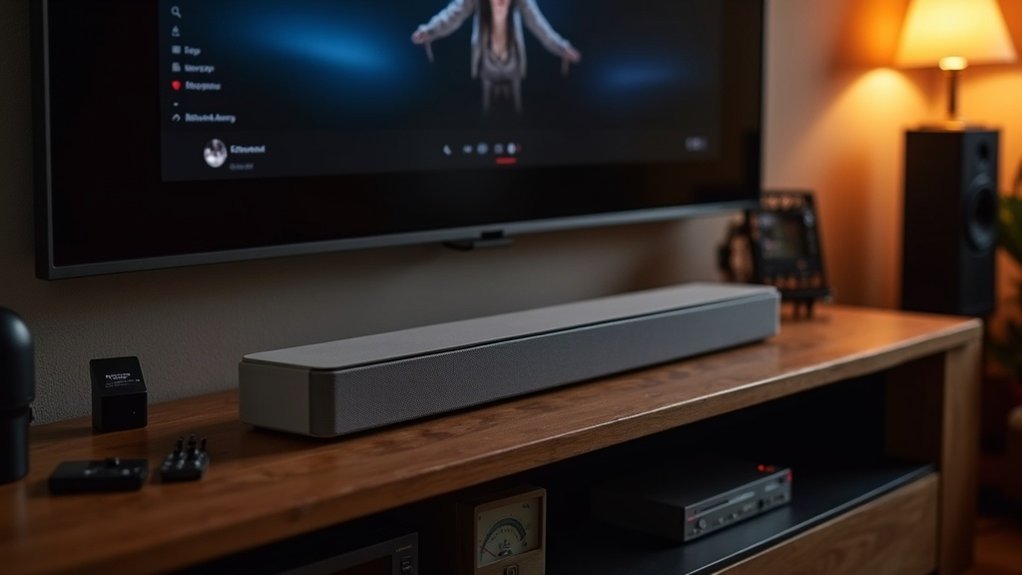
To improve the dynamic range on your soundbar, start by positioning it correctly, ideally below your TV and free from obstructions. Use HDMI ARC or eARC connections for optimal audio quality. Adjust sound modes, focusing on dialogue enhancement for better clarity, and experiment with EQ settings to match your listening preferences. Don’t overlook your subwoofer; its placement and calibration can significantly enhance bass response. Explore additional techniques to optimize your soundbar setup for a more immersive audio experience.
Key Takeaways
- Position the soundbar directly below the TV to enhance audio projection and dynamic range.
- Use HDMI ARC or eARC connections for high-bandwidth audio formats to maximize sound quality.
- Explore different sound modes, such as dialogue enhancement, to improve clarity and balance in audio.
- Fine-tune EQ settings and dynamic range adjustments to match personal preferences and optimize audio performance.
- Regularly test and recalibrate the subwoofer placement for better bass response and overall sound dynamics.
Why a Soundbar Is the Right First Step
When you make the switch from your TV’s built-in speakers to a soundbar, the improvement in dynamic range is immediately noticeable, enhancing your overall audio experience.
Soundbars provide superior performance with clearer distinctions between quiet and loud sounds, significantly boosting sound quality. Many soundbar models come equipped with advanced sound modes, such as dialogue enhancement, which fine-tune speech frequencies for optimal clarity.
Soundbars enhance audio performance with distinct sound levels and advanced modes like dialogue enhancement for crystal-clear speech.
Furthermore, Dolby Atmos compatibility adds a rich dynamic range, allowing you to appreciate the subtleties in soundtracks. By placing your soundbar correctly, you can maximize its potential, ensuring that sound projects effectively throughout your space.
Ultimately, investing in a soundbar is a vital first step toward creating a more immersive audio environment in your home.
Start With Placement
To achieve the best dynamic range from your soundbar, proper placement is essential. Position your soundbar directly below the TV for ideal audio projection, avoiding cabinets or obstructions that block drivers.
For wall-mounted setups, maintain the recommended distance from the TV to guarantee unobstructed sound waves, especially if using upward-firing drivers.
- Keep the listening area clutter-free for direct sound reach.
- Experiment with subwoofer placement on the same wall as the TV to enhance bass response.
- Prioritize unobstructed paths to maximize the dynamic range in your soundbar setup for an immersive audio experience.
Choose the Best Input and Connection
Choosing the right input and connection is essential for maximizing your soundbar’s dynamic range. Use an HDMI ARC or eARC port to support high-bandwidth formats like Dolby TrueHD and uncompressed Atmos.
Ensure your TV’s HDMI output is set to “Enhanced” mode to fully utilize the dynamic range capabilities of your soundbar. Additionally, configure bitstream settings on your TV or streaming device to enable accurate decoding of surround formats, which will further enhance the dynamic range of your audio experience.
If HDMI isn’t available, an optical cable can be a valid alternative, though it lacks high-bandwidth support. For the best audio signals, connect your streaming box directly to the soundbar using multiple HDMI inputs.
Check and Tune the Sound Modes
Maximizing your soundbar’s dynamic range involves checking and tuning the available sound modes. By exploring different audio settings, you can achieve a more immersive listening experience tailored specifically for your soundbar.
Consider these options:
- Dialogue enhancement: Boosts voice frequencies for improved clarity during quiet scenes, making dialogue crisp and easy to understand.
- Night mode: Reduces dynamic range for low-volume listening, allowing you to enjoy your favorite shows without disturbing others around you.
- Customizable EQ settings: Fine-tune frequency responses to match your personal preferences, giving you control over how your soundbar delivers audio.
Regularly test these sound modes to identify the best balance for your environment and listening habits. This will ensure ideal dynamic range performance, enhancing your overall experience with your soundbar.
Use Auto Calibration or Test Tones
When you want to enhance your soundbar’s dynamic range, utilizing the built-in auto calibration feature can be highly effective. This feature analyzes room acoustics and automatically adjusts speaker levels, improving overall sound quality.
If your soundbar lacks auto calibration, consider using test tones to manually adjust levels for a balanced audio experience. Conduct the calibration process in a quiet environment to avoid interference, and always follow the manufacturer’s instructions for your specific soundbar model.
After initial calibration, regularly fine-tune the dynamic range settings to adapt to changes in your room’s acoustics and your listening preferences, ensuring optimal performance from your soundbar.
Subwoofer Setup Tips
To maximize your soundbar’s performance, effective subwoofer placement is essential for achieving a balanced and impactful audio experience.
- Place the subwoofer on the same wall as the soundbar to enhance bass response and sync with the main audio output.
- Experiment with corner placement for improved bass output, but be cautious of muddiness that can affect clarity.
- Regularly adjust the subwoofer’s phase settings and volume level to minimize delays and ensure a well-rounded sound.
Utilize your soundbar’s calibration feature to fine-tune settings according to your room acoustics, achieving peak performance and enhancing your overall audio experience.
Add Rear Speakers If You Can
After ensuring your subwoofer is set up for peak performance, consider enhancing your soundbar system by adding rear speakers.
Incorporating physical rear speakers can create a more immersive audio experience, placing sound sources around you and greatly improving dynamic range. Position them just behind and to the sides of your seating area to optimize spatial effects in movies and music.
Adding physical rear speakers enhances immersion and dynamic range, optimizing spatial effects for movies and music enjoyment.
While many soundbars come equipped with virtual surround modes, adding height-enabled or upward-firing speakers can further elevate your three-dimensional sound experience.
Adjust the volume levels of the rear speakers to match your preferences, achieving a balanced dynamic range for an enriched listening experience that complements the capabilities of your soundbar system.







