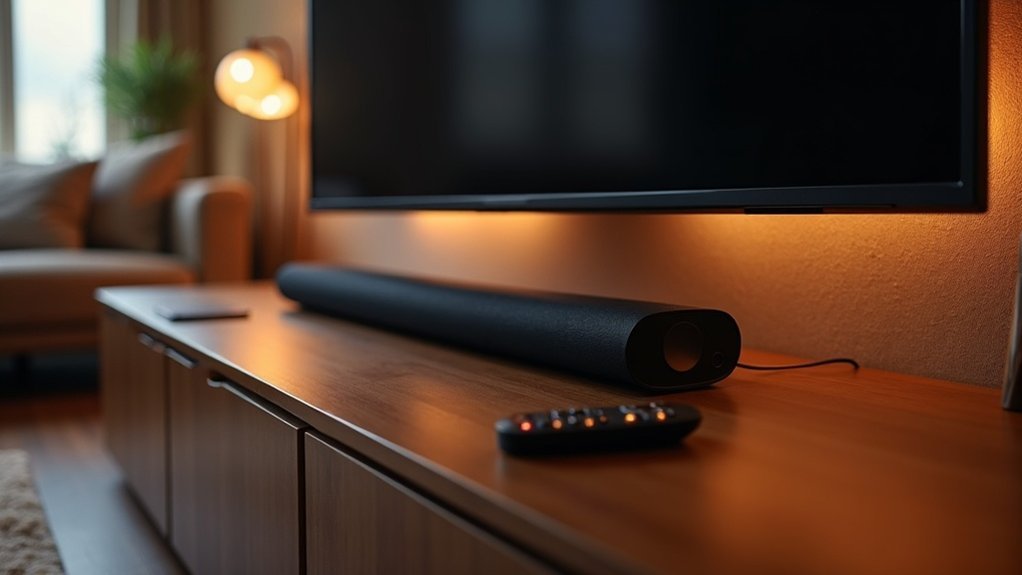
To enhance dialogue clarity on your soundbar, begin by checking your TV’s sound settings and ensuring they are optimized for external speakers. Position your soundbar at ear level, directly centered below the TV for the best audio experience. Make use of any dialogue enhancement features available and adjust the equalizer settings to elevate mid-range frequencies for clearer speech. Consider investing in a soundbar specifically designed for dialogue performance to achieve optimal results. Lastly, maintain high-quality connections and keep your devices dust-free to ensure clear audio. Explore additional strategies to further improve your soundbar experience.
Key Takeaways
- Position the soundbar at ear level and center it below the TV for optimal sound clarity, ensuring an immersive experience while watching movies or shows.
- Enable dialogue enhancement features like Clear Voice or Dialogue Mode on your soundbar to improve the clarity of dialogues during playback.
- Adjust audio settings by disabling bass boosts, as excessive bass can mask speech and make it harder to understand dialogue.
- Use high-quality cables and connect your soundbar via HDMI ARC or eARC to achieve superior sound quality and minimize audio lag.
- Choose content with high-quality audio tracks and consider enabling subtitles to enhance your understanding of the dialogue, especially in scenes with complex audio mixes.
Check Your TV’s Sound Settings
To enhance the dialogue clarity on your soundbar, checking your TV’s sound settings is an essential first step.
Begin by exploring the audio settings and testing various preset modes like Movie or User to find which one improves dialogue enhancement. Since TV speakers often underperform, optimizing these settings can significantly boost the sound quality when using your soundbar.
Explore your TV’s audio settings and try different preset modes to enhance dialogue clarity with your soundbar.
Moreover, disabling features like Bass Boost or Night Mode can prevent low frequencies from masking speech.
Lastly, ensure your TV’s audio output is set for external speakers to elevate your listening experience, especially during dialogue-heavy scenes.
Regular adjustments can lead to even better results.
Optimize Soundbar Placement and Acoustics
To enhance your soundbar’s performance, position it directly below your TV, ensuring it’s centered and parallel to the screen.
Aim for it to be at ear level when seated, as this will significantly improve dialogue clarity.
Additionally, take into account the acoustics of your room; incorporating soft furnishings can effectively absorb sound and minimize reflections, resulting in a superior listening experience.
Ideal Soundbar Positioning
How can you achieve the best audio experience with your soundbar? Position your soundbar directly below the TV, centered and parallel to the screen.
Ideally, place it at or near ear level when seated, maximizing clarity and sound directionality. Ensure that no furniture or decorative items obstruct soundwaves, as this can hinder dialogue intelligibility.
Experiment with slight adjustments in placement to improve sound dispersion and maintain a clear path to the listening area.
While focusing on soundbar positioning, remember that room acoustics play a role; incorporating soft furnishings can help absorb excess noise, further enhancing your overall audio experience with your soundbar.
Room Acoustics Considerations
Achieving ideal sound quality with your soundbar goes beyond just positioning; it also involves understanding room acoustics. Place your soundbar at ear level, centered below the TV for superior sound projection. Avoid enclosed spaces or furniture obstacles, as these can muffle sound and hinder dialogue clarity. Incorporating soft furnishings, like rugs or curtains, helps absorb excess noise and reduce echoes. Experiment with the angle and distance from walls to avoid sound reflections that degrade audio quality. Consider wall mounting your soundbar to enhance dispersion and minimize obstructions.
| Placement Tips | Acoustic Factors | Benefits |
|---|---|---|
| Position at ear level | Use soft furnishings | Improved dialogue clarity |
| Avoid enclosed spaces | Maintain distance from walls | Enhanced sound projection |
| Experiment with angles | Enhance noise absorption | Reduced echoes |
| Wall mounting options | Control reflections | Clearer audio experience |
Explore Dialogue Enhancement Features
When enjoying your favorite shows or movies, you may notice that dialogue can sometimes get overshadowed by background sounds or music.
To address this issue, consider utilizing dialogue enhancement features available in modern soundbars. Settings such as Clear Voice or Dialogue Mode are designed to specifically amplify speech frequencies while minimizing distracting noises.
Many soundbars also incorporate dynamic range compression, which ensures consistent dialogue levels, preventing speech from being drowned out during intense scenes.
Furthermore, advanced equalizer settings allow you to tailor frequency levels, emphasizing mid-range frequencies for improved clarity.
Brands like Sonos Beam (Gen 2) even provide proprietary technologies aimed at automatically enhancing dialogue for a superior viewing experience.
Adjust Soundbar Equalizer and Audio Settings
To enhance dialogue clarity on your soundbar, begin by adjusting the equalizer settings to elevate the mid-range frequencies where speech resides.
Enable any dialogue enhancement mode available on your soundbar to optimize audio specifically for voice clarity.
Lastly, make sure to adjust the overall volume levels to ensure a balanced audio experience that doesn’t overpower dialogue.
Customize Equalizer Settings
Customizing your soundbar’s equalizer settings can greatly enhance dialogue clarity, especially in movies and shows. By adjusting specific frequency bands, you can improve dialogue and make it sound better.
Consider these tips:
- Boost mid-range frequencies for clearer speech
- Adjust treble to reduce overpowering low frequencies
- Experiment with presets like “Dialogue” or “Clear Voice”
- Fine-tune settings based on your room acoustics
- Use dynamic range compression for balanced sound
Regularly experimenting with your soundbar’s settings will ensure it delivers maximum dialogue clarity, making every viewing experience more enjoyable.
Don’t hesitate to tweak those settings until you find your ideal sound!
Activate Dialogue Enhancement Mode
Activating Dialogue Enhancement Mode on your soundbar can significantly enhance the clarity of speech without needing to turn up the overall volume.
Many soundbars come equipped with this feature, specifically designed to amplify the frequencies associated with human voices, ensuring that dialogue remains crisp and clear.
Additionally, you can explore preset sound modes such as “Clear Voice” or “Dialogue Mode” for an optimized audio experience, especially during speech-heavy content.
Adjusting the equalizer settings can further boost the mid-range frequencies where dialogue typically resides, enhancing vocal prominence.
Moreover, utilizing dynamic range compression helps maintain consistent dialogue levels, even during loud scenes, preventing background sounds from overshadowing spoken words.
This combination of features ultimately elevates your overall viewing enjoyment, making your soundbar an indispensable tool for an immersive audio experience.
Adjust Volume Levels
While adjusting volume levels on your soundbar, fine-tuning the equalizer and audio settings can greatly enhance dialogue clarity.
Here are some effective adjustments you can make to optimize your soundbar experience:
- Boost mid-range frequencies for clearer speech.
- Activate “Dialogue Mode” or “Clear Voice” settings available on your soundbar.
- Lower bass levels to prevent overpowering dialogue.
- Customize EQ settings based on different content types for a better listening experience.
- Use dynamic range compression to maintain consistent dialogue levels for movies and shows.
Invest in a Dialogue-Focused Soundbar
To enhance your viewing experience, investing in a dialogue-focused soundbar can make a significant difference in audio clarity.
These soundbars, such as the ZVOX models featuring AccuVoice technology, are specifically designed to enhance human voice frequencies, improving speech clarity without the need to raise overall volume.
Soundbars like ZVOX with AccuVoice technology boost voice clarity, enhancing speech without increasing overall volume.
Look for features like SuperVoice and output leveling, which help balance soft and loud speech, ensuring consistent dialogue levels.
Popular models like the Sonos Beam (Gen 2) and Samsung HW-Q800D excel in delivering clear audio reproduction, making them ideal for content that prioritizes dialogue.
Maintain Connection Quality and Regular Updates
Upgrading to a dialogue-focused soundbar can significantly elevate your audio experience, and ensuring optimal connection quality is vital for achieving the best performance.
- Use high-quality cables for wired connections to enhance sound clarity.
- Keep your soundbar and connections free from dust to prevent audio issues.
- Regularly check for software and firmware updates to ensure peak functionality.
- Connect via HDMI ARC or eARC for superior sound quality.
- Utilize HDMI-CEC for simplified control of all your devices.







