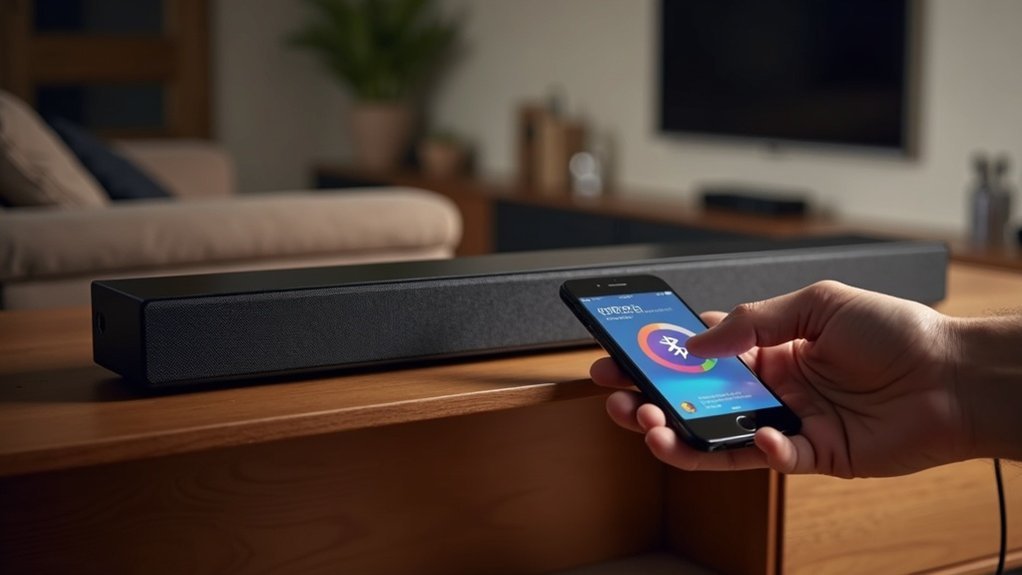
To fix soundbar Bluetooth lag, start by updating your firmware to enhance performance. Minimize interference by keeping the soundbar away from Wi-Fi routers and microwaves. Adjust the audio sync settings on the soundbar for better alignment between audio and video. For a more stable connection, consider using wired options like HDMI ARC or optical cables. You should also experiment with Bluetooth codec settings to select low-latency options. Discover more effective strategies to optimize your soundbar audio experience.
Key Takeaways
- Regularly update your soundbar’s firmware to improve compatibility and reduce audio lag.
- For minimal latency, consider using a wired connection such as HDMI ARC or an optical cable.
- Adjust the audio sync settings on your soundbar to better align audio with video.
- Opt for low-latency Bluetooth codecs like aptX Low Latency or AAC to enhance performance.
- Position your soundbar and source device close together to minimize interference and strengthen the signal.
Understanding Bluetooth Lag and Its Causes
When you experience audio delays with your soundbar, it’s often due to Bluetooth lag, which can stem from several technical factors.
The signal processing time required for audio decoding introduces delays between video and audio playback. The quality of the Bluetooth codec used, like SBC or aptX, considerably impacts latency; higher-quality codecs typically reduce lag.
Environmental factors, such as physical obstructions and interference from other devices, can exacerbate Bluetooth lag. Additionally, the distance from the connected device affects latency; greater distances usually lead to increased delays.
Utilizing low-latency modes on your soundbar can help mitigate these issues, enhancing your overall viewing experience.
Updating Firmware for Optimal Performance
To ensure your soundbar delivers optimal performance, it’s essential to regularly visit the manufacturer’s website for firmware updates.
Adhering to the specific instructions provided can enhance device compatibility and resolve any audio-video synchronization issues.
Check for Updates Regularly
Keeping your soundbar’s firmware updated is crucial for maintaining peak performance and minimizing audio lag.
Regularly check for firmware updates for both your soundbar and TV, as manufacturers often release patches that enhance compatibility and address audio delay issues.
Visit the official website of your soundbar’s manufacturer to find the latest firmware version and specific updating instructions.
If your soundbar includes a sync feature that notifies you of available updates, be sure to enable it.
Follow Manufacturer Instructions
Maintaining your soundbar’s performance is crucial, and it hinges on following the manufacturer’s instructions for firmware updates. Regularly check the manufacturer’s website for available firmware enhancements, as these updates can significantly improve Bluetooth performance and reduce lag.
Be sure to adhere to the specific update instructions provided, which may involve downloading firmware onto a USB drive or utilizing a designated app. Some soundbars even feature a built-in option to check for updates directly within the settings menu.
After applying any updates, always restart both the soundbar and your Bluetooth source device to ensure that changes take effect and to reset any connection issues. This practice will help you optimize your overall audio experience.
Enhance Device Compatibility
While you might think that your soundbar’s performance is solely dependent on its hardware, updating the firmware on both the soundbar and your Bluetooth devices is crucial for maximizing functionality.
Regularly check for firmware updates for your soundbar and connected devices, as these can greatly enhance connectivity and reduce audio lag. Updates often improve compatibility with various audio formats and ensure your soundbar supports the latest Bluetooth standards, minimizing latency.
Follow the manufacturer’s instructions for the update process, as it varies by brand and model, to achieve superior performance and an improved listening experience with your soundbar.
Minimizing Interference From Other Devices
To minimize Bluetooth lag with your soundbar, begin by identifying devices that may interfere with the Bluetooth signal.
Optimize your soundbar’s Bluetooth settings and ensure a clear line-of-sight between your soundbar and the source device to enhance connectivity.
Addressing these factors can significantly improve your audio experience.
Identify Interfering Devices
Interference from other wireless devices can significantly affect your soundbar’s Bluetooth performance, resulting in annoying audio lag. To ensure you get the best sound experience from your soundbar, it’s crucial to identify potential interfering devices in your environment. Common sources of interference include Wi-Fi routers, microwaves, and cordless phones, which all operate on similar frequencies. To reduce lag, maintain a distance of at least 10 feet between your soundbar and these devices.
| Interfering Device | Frequency (GHz) |
|---|---|
| Wi-Fi Router | 2.4 |
| Microwave | 2.4 |
| Cordless Phone | 2.4 |
Additionally, proper positioning and keeping your soundbar’s firmware updated can further enhance its performance.
Optimize Bluetooth Settings
When optimizing Bluetooth settings for your soundbar, positioning is key to minimizing audio lag. Ensure that your soundbar and Bluetooth source, such as a smartphone or tablet, are kept close together to reduce signal interference.
To prevent delays, disable or move other nearby Bluetooth devices, as multiple connections can disrupt the signal. It’s also important to avoid physical barriers like walls or furniture that can weaken Bluetooth signal strength.
Make sure both your soundbar and Bluetooth source are updated with the latest firmware, as these updates often improve performance.
Lastly, if available, take advantage of high-quality Bluetooth codecs like aptX Low Latency to further reduce audio lag during playback.
Maintain Clear Line-of-Sight
Maintaining a clear line-of-sight between your soundbar and Bluetooth device is essential for optimizing performance and minimizing audio lag.
Obstacles can disrupt the Bluetooth signal, so avoid positioning your soundbar and Bluetooth source behind furniture or walls; physical barriers can impede signal transmission and increase latency.
Additionally, keep other wireless devices, such as Wi-Fi routers and microwaves, away from your soundbar and Bluetooth source to reduce electromagnetic interference that can negatively affect sound quality.
Ensure both devices remain within the recommended range of about 30 feet to avoid signal degradation.
Regularly check for firmware updates for your soundbar, as these can enhance connectivity and further reduce lag.
Adjusting Audio Sync Settings on Your Soundbar
To achieve ideal audio-video synchronization with your soundbar, you’ll need to access its audio settings and locate the audio sync adjustment feature, typically labeled as “Audio Delay” or “Lip Sync.”
This feature allows you to fine-tune the timing of the audio output, ensuring it aligns perfectly with the visuals on your screen. Use the dedicated Audio Sync button on your remote for precise adjustments, employing the Skip Forward and Backward buttons to tweak the sync.
If available, utilize the +/- buttons under the Audio Sync setting for quick modifications. Additionally, regularly check for firmware updates, as they can enhance audio sync capabilities and minimize lag for an optimal listening experience.
Exploring Wired Connection Options
Audio sync adjustments can greatly enhance your soundbar experience, but if you’re still facing lag, exploring wired connection options is the next logical step. Utilizing an HDMI ARC or optical cable minimizes audio delay, providing a direct signal without the latency commonly associated with Bluetooth. Ensure that both your soundbar and TV support HDMI ARC for optimal audio quality. Additionally, connecting devices directly to the soundbar can further improve synchronization. Here’s a quick visual representation of your options:
| Connection Type | Benefits |
|---|---|
| HDMI ARC | Enhanced audio quality |
| Optical Cable | Low latency, reliable sync |
| Analog | Higher latency, less ideal |
Changing Bluetooth Codec Settings for Better Performance
While soundbars provide an excellent audio experience, Bluetooth connections can sometimes introduce audio lag that detracts from your enjoyment.
By adjusting the Bluetooth codec settings on your soundbar, you can significantly reduce this latency. Opt for codecs like aptX Low Latency or AAC, specifically engineered for optimal performance. Ensure that both your soundbar and the source device are compatible with the same codec to maintain synchronization.
You can access the Bluetooth settings menu on your soundbar to prioritize the desired codec. Additionally, utilizing a dedicated Bluetooth audio transmitter that supports low-latency codecs can further minimize lag.
Always keep your soundbar’s firmware updated to enhance codec performance and alleviate latency issues.







