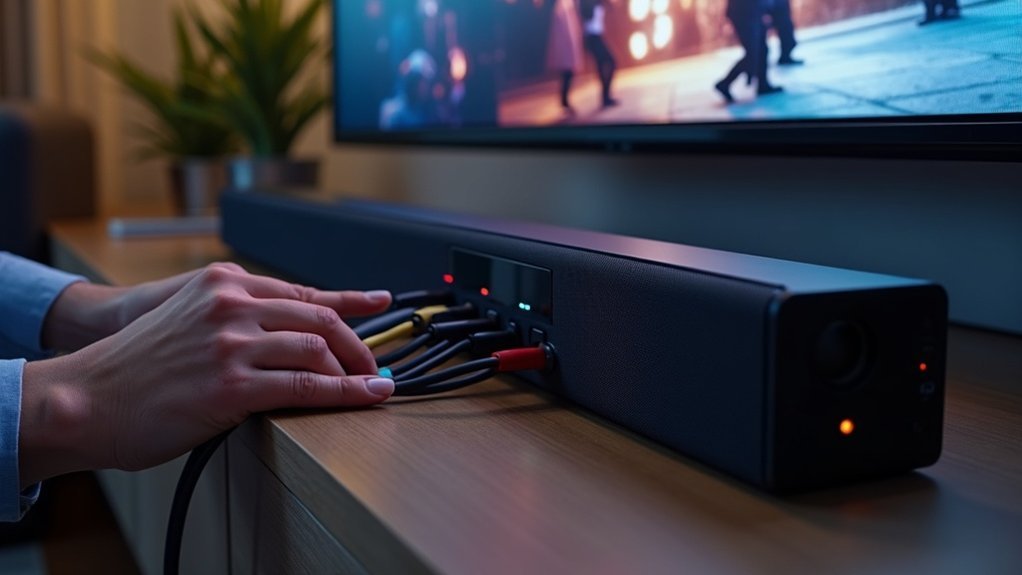
If your soundbar audio is cutting out, first check the HDMI connections for tightness and ensure they comply with eARC/ARC specifications. Upgrade to high-quality HDMI cables to minimize signal loss. Reboot your soundbar, TV, and any connected devices to refresh their connections. Confirm that the firmware is updated for both the soundbar and TV. If issues persist, consider switching to an optical cable for more reliable audio. Following these steps can help identify underlying issues and enhance your soundbar experience.
Key Takeaways
- Ensure all HDMI connections are secure and compatible with eARC/ARC specifications to prevent audio cutouts from loose cables.
- Upgrade to high-quality, 4K-rated HDMI cables to reduce signal loss and enhance audio delivery for your soundbar.
- Reboot the soundbar and TV by unplugging them for 10 seconds to establish a fresh connection and improve performance.
- Consider switching to an optical cable for improved audio stability if HDMI ARC issues persist with your soundbar.
- Regularly check for firmware updates for your soundbar and seek community insights for troubleshooting persistent audio problems.
Understanding the Problem of Audio Cutouts
When you experience audio cutouts on your soundbar, it can be frustrating, especially during quiet scenes in movies or TV shows.
These audio interruptions often stem from compatibility issues, particularly with HDMI ARC or eARC connections between your soundbar and TV. Keeping the firmware updated for both devices is essential, as manufacturers frequently release patches to enhance performance and compatibility.
Additionally, users have found that upgrading to high-quality HDMI cables, especially those rated for 4K, can help stabilize the connection and minimize audio dropouts.
Engaging with community forums and manufacturer support can also provide valuable troubleshooting insights and solutions to these audio issues with your soundbar.
Importance of HDMI Cable Quality
Audio cutouts can often be traced back to various factors, but the quality of your HDMI cable plays a significant role in maintaining a stable audio connection for your soundbar.
Here’s why investing in a high-quality HDMI cable is crucial:
Investing in a high-quality HDMI cable is essential for optimal soundbar performance and a superior listening experience.
- Higher bandwidths reduce signal loss, ensuring your soundbar performs at its best.
- 4K-rated cables effectively resolve intermittent audio cutouts, allowing for consistent sound quality.
- Poorly made cables may not support the necessary data transfer rates, compromising your listening experience.
- Regularly checking and replacing cables can enhance your soundbar’s performance and longevity.
Choosing ultra high-speed HDMI cables that meet the latest standards guarantees optimal audio delivery for your soundbar.
Don’t overlook the importance of cable quality; it’s essential for a seamless and immersive listening experience.
Steps to Check Connections
Checking your connections is essential for resolving soundbar audio issues. First, confirm that your HDMI cable is securely connected to both the soundbar and the TV. Next, verify that the cable is compatible with eARC or ARC specifications. Check for any visible damage on the HDMI cable and replace it if necessary.
| Step | Action | Note |
|---|---|---|
| 1 | Secure HDMI connections | Loose cables can cause audio cutouts. |
| 2 | Verify cable compatibility | Use cables that meet eARC/ARC specifications. |
| 3 | Inspect for damage | Faulty cables can lead to audio disruptions. |
| 4 | Select the correct input source | Conflicting sources may result in audio loss. |
Rebooting Your Devices
If you’re experiencing soundbar audio cutouts, rebooting your devices can be an effective solution to restore functionality. Follow these steps for ideal results:
- Unplug your soundbar from the power source and wait at least 10 seconds before plugging it back in.
- Reboot your TV or streaming box to establish a fresh connection with the soundbar.
- Consider rebooting all connected devices simultaneously for better synchronization.
- If issues persist, check HDMI connections and verify all devices have the latest firmware updates.
Rebooting your devices refreshes software and clears temporary glitches, potentially resolving your audio issues efficiently.
This is especially important for soundbars, as they rely on proper communication with other devices for optimal performance.
Firmware Updates for Soundbars and TVs
Firmware updates are essential for maintaining compatibility and optimizing performance between your soundbar and other devices.
Regularly checking for these updates can help address any known audio issues, including dropouts.
Ensuring your soundbar is connected to the internet allows for seamless access to the latest firmware improvements.
Importance of Firmware Updates
Keeping your soundbar up to date with the latest firmware is essential for optimal performance and audio quality. Firmware updates often include significant bug fixes and performance enhancements, which can help resolve issues like audio cutouts.
Here’s why you should prioritize these updates for your soundbar:
- Fixes intermittent audio cutouts
- Ensures compatibility with newer devices
- Enhances overall sound quality and features
- Provides important security patches for your device
Make it a habit to regularly check for firmware updates from manufacturers such as Samsung and JBL.
When reaching out to support, having your soundbar’s model code and serial number handy can help expedite any firmware-related inquiries you may have.
Checking Device Compatibility
Outdated firmware can lead to compatibility issues between your soundbar and TV, resulting in frustrating audio dropouts. To avoid this, ensure that both devices have the latest firmware updates.
Check the manufacturer’s website or use their apps, such as SmartThings for Samsung, to confirm available updates. Additionally, make sure your soundbar and TV support the same HDMI standards, like eARC, to prevent connectivity problems.
It’s also helpful to keep a record of your soundbar and TV model and serial numbers for any support inquiries. Lastly, consult user forums for insights on compatibility, as different soundbar models may exhibit unique issues when paired with certain TVs.
Exploring Alternative Connection Methods
If you’re experiencing audio cutouts with your soundbar, exploring alternative connection methods can be an effective solution.
Consider switching from HDMI ARC to an optical cable for potentially improved stability, or try wireless audio options for a cable-free experience.
Just ensure that any new method is compatible with both your soundbar and TV to avoid further issues.
HDMI ARC vs. Optical
When selecting the best connection for your soundbar, it’s essential to weigh the differences between HDMI ARC and optical connections, as they can significantly affect your audio experience. Here’s what to consider:
- HDMI ARC enables two-way communication, allowing for seamless control with just one remote for both your soundbar and TV.
- With higher bandwidth, HDMI ARC can support advanced audio formats such as Dolby Atmos, providing a more immersive sound experience.
- A single cable setup with HDMI ARC minimizes clutter, making it a cleaner solution compared to the multiple cables often required with optical connections.
- In terms of audio quality, HDMI ARC generally offers superior performance due to its capability for better sampling rates and bit depths.
If you encounter issues like audio cutting out, it’s a good idea to test both connection methods.
Some devices may not fully support HDMI ARC, and in such cases, optical connections can sometimes offer a more reliable and stable audio experience for your soundbar.
Wireless Audio Solutions
While HDMI ARC and optical connections have their advantages, exploring wireless audio solutions can offer added flexibility and convenience for your soundbar setup.
Bluetooth and Wi-Fi streaming can help reduce audio cutouts often experienced with wired connections. Soundcasting allows for audio transmission without physical cables, although it may require some initial setup.
Many soundbars also support multi-room audio systems, enabling seamless wireless connections and minimizing HDMI interference. Upgrading to higher-quality wireless standards such as Wi-Fi 5 or Wi-Fi 6 can enhance audio stability.
Always ensure compatibility between your soundbar and TV to optimize performance and reduce potential connectivity issues.
Cable Quality Importance
Choosing the right HDMI cable is essential for maintaining optimal audio performance in your soundbar setup. The quality of your cable can significantly impact sound clarity and help prevent issues like audio dropouts.
Consider the following points when connecting your soundbar:
- Use ultra high-speed HDMI cables rated for 4K to ensure high-definition audio and video transmission.
- Upgrade to higher quality cables specifically for eARC connections to take advantage of enhanced audio formats.
- Regularly check for loose or damaged connections to maintain a stable audio signal.
- Ensure your cable supports advanced audio formats to fully utilize your soundbar’s capabilities.
Community Insights and Shared Experiences
Have you ever experienced audio cutting out on your soundbar? You’re not alone; many users across various brands encounter similar sound interruptions. Community forums are a valuable resource for shared troubleshooting tips. Here’s a quick summary of common solutions:
| Issue | Solution |
|---|---|
| HDMI Cable Compatibility | Check and replace if necessary |
| Firmware Updates | Ensure your soundbar is updated |
| Cable Quality | Invest in high-quality 4K rated cables |
| Community Support | Engage and share experiences |
When to Seek Professional Help
If you’ve exhausted your troubleshooting options and still face persistent audio issues with your soundbar, it may be time to seek professional help.
Consider consulting a professional technician if:
- You’ve tried multiple troubleshooting steps without success.
- The audio cutting out persists despite firmware updates.
- Your soundbar is under warranty, and you suspect defects.
- Issues occur consistently with specific devices, indicating potential compatibility problems.
Engaging a technician can provide clarity, especially if you lack technical expertise or notice any physical damage.
Seeking a technician can clarify issues, especially if you’re unsure about technical details or see any damage.
Their insights can save you time and ensure your soundbar performs at its best.







