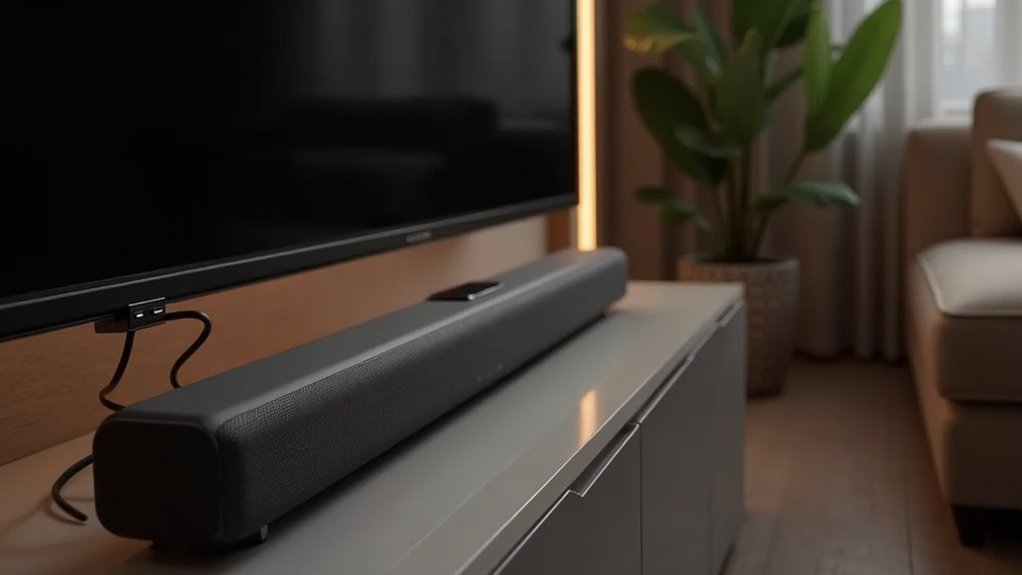
To connect two rear speakers to your soundbar, start by verifying your soundbar’s compatibility with additional speakers. If your soundbar supports this feature, you can use a wireless receiver module or color-coded wires to ensure proper connections. Be sure to power on all devices before proceeding. While setting up, hold down the ID SET button on the soundbar to establish the connection. For optimal sound quality, adjust your audio settings and position the rear speakers at ear level. For further assistance with configurations and troubleshooting, you can find additional tips on this website dedicated to soundbars.
Key Takeaways
- Check your soundbar’s specifications to ensure it supports additional rear speakers and their connection type.
- Use a wireless receiver module or color-coded wires to connect the rear speakers to the soundbar.
- Initiate the ID SET process by turning off the soundbar and holding the VOL or Up button to pair the speakers.
- Position the rear speakers at ear level and angle them toward the listening area for optimal sound immersion.
- Consult the user manual or reach out to the soundbar manufacturer’s support if connection issues persist or for tailored guidance.
Rear Speaker Kit Compatibility
When considering how to enhance your sound experience with a soundbar, you might wonder about the compatibility of your Rear Speaker Kit. It’s crucial to check your soundbar’s specifications or user manual to verify compatibility.
The SWA-9500S Rear Speaker Kit requires power cords, while other kits may utilize a wireless receiver module. Be aware that soundbars with 2.0 audio will limit rear speakers to the same left and right channels, while 5.1 models provide distinct channels for superior surround sound.
Proper setup involves connecting speaker wires to a wireless receiver with color-coded plugs and performing the ID SET process for a stable connection.
Connecting Extra Speakers to Your Soundbar
To connect extra speakers to your soundbar, first ensure that your specific model supports additional rear speakers, as many soundbars are limited to one set due to app restrictions.
If your soundbar is compatible, you can either use a wireless receiver module or connect the surround speakers using color-coded wires to the designated outputs on the receiver.
If compatible, connect extra speakers via a wireless receiver or color-coded wires to the receiver’s designated outputs.
To initiate the ID SET process, turn off the soundbar and hold the VOL or Up button until the ID SET message appears.
For optimal performance, confirm that the metal wire contacts the metal tab securely and that the speaker cables correspond with the provided color coding.
Troubleshooting Connection Issues
If you’re experiencing connection issues with your soundbar’s rear speakers, begin by examining all speaker connections to ensure they’re secure and properly matched.
Next, confirm that the wireless receiver is correctly set up and connected to your soundbar.
If issues continue, consider resetting your soundbar settings to restore functionality.
Check Speaker Connections
1. To ensure optimal sound quality from your soundbar, start by checking the speaker connections.
Verify that the speaker wires are securely connected to the wireless receiver module, ensuring that the color-coded plugs are aligned correctly.
Make sure that the metal wire from your speakers is making contact with the metal tabs on the receiver without any insulation interfering with the connection.
If the LINK LED indicator is blinking, it indicates that the connection hasn’t been established—follow the ID SET process to resolve this.
Low audio levels may suggest loose connections, so be sure to double-check everything.
If issues persist, consult the user manual for troubleshooting tips or contact Samsung Support for further assistance.
Verify Wireless Receiver Setup
Properly setting up your wireless receiver module is essential for establishing a stable connection between your soundbar and rear speakers.
First, confirm the wireless receiver is connected to the soundbar and plugged into an outlet. Verify that the speaker cables are color-coded and securely attached, ensuring the metal wire makes contact with the metal tabs.
Next, follow the ID SET process: turn off the soundbar, hold the VOL or Up button for 5-6 seconds until you see the ID SET message, then power it back on.
Finally, check the LINK LED; it should glow solid blue when connected, indicating a successful setup for an optimal soundbar experience.
Reset Soundbar Settings
When you’re experiencing connectivity issues with your rear speakers, resetting your soundbar settings can often resolve the problem.
To do this, power off your soundbar, then press and hold the ‘Power’ and ‘Volume Up’ buttons simultaneously for about 5-10 seconds until you see a reset confirmation on the display.
After the reset, ensure the soundbar is powered on and repeat the ID SET process by holding the VOL or Up button until the ID SET message appears.
If issues persist, double-check all connections and the wireless receiver module, and consult your soundbar’s user manual for model-specific instructions.
Adjusting Sound Settings for Optimal Audio
To achieve ideal audio with your soundbar, start by placing it in an optimal location to enhance sound immersion.
Next, use audio calibration techniques within your soundbar’s settings to fine-tune the surround sound experience.
Finally, adjust the volume levels between the soundbar and any additional speakers to ensure they work in harmony, creating a balanced audio field.
Speaker Placement Strategies
Achieving ideal audio from your soundbar requires careful attention to speaker placement and sound settings. Position your rear speakers at ear level, angling them toward the listening area for enhanced immersion. Consider ceiling mounting for models like the 700 rears to create a more enveloping experience. Keep the distance between the rear speakers and your listening position equal for balanced output. Use the soundbar’s audio settings to adjust volume and delay, ensuring a cohesive soundstage in varied acoustical environments.
| Speaker Positioning | Angling | Distance from Listener |
|---|---|---|
| Ear Level | Toward Listener | Equal Distance |
| Ceiling Mounted | Downward Angle | Equal Distance |
| Floor Level | Upward Angle | Adjust as Needed |
| Experiment | Varies | Test for Best Sound |
For optimal performance, remember that the placement of your soundbar itself is just as crucial as the positioning of the rear speakers. Aim to install the soundbar at ear level, directly below or above your TV, to ensure that dialogue and sound effects align with the on-screen action for an immersive experience. Adjust the soundbar settings to match the acoustics of your room for the best possible audio output.
Audio Calibration Techniques
Proper audio calibration is essential for maximizing your soundbar’s performance, as it ensures that all speakers deliver sound at the correct timing and volume.
Start by adjusting the distance settings in the soundbar’s audio settings to match each speaker’s actual placement. Use the built-in equalizer to fine-tune frequency levels for better clarity and balance.
Conduct a test tone calibration with a sweep tone or pink noise to identify volume discrepancies. Consider using a sound level meter or app to verify that sound pressure levels are balanced across your soundbar system.
Finally, regularly update your soundbar’s firmware to access enhanced audio calibration features, ensuring optimal sound quality for your home entertainment experience.
Adjusting Volume Levels
Fine-tuning volume levels is a key step in optimizing your soundbar for an immersive audio experience.
To achieve balanced audio, follow these steps:
- Adjust the volume of the soundbar independently to match output levels.
- Utilize the soundbar’s built-in audio settings to calibrate each channel’s volume.
- Monitor output levels to prevent distortion, especially when adjusting the volume for different media.
- Regularly reassess volume settings during playback of dialogue, music, or action scenes to guarantee peak listening.
Enhancing Your Surround Sound Experience
To truly enhance your surround sound experience with a soundbar, consider investing in a model that supports advanced audio formats like Dolby Atmos or 5.1 channel audio. These formats provide a more immersive listening experience, allowing sound to envelop you from all directions.
Proper placement of your soundbar is essential; mounting it at ear level will optimize sound clarity.
If you wish to connect additional speakers, be cautious with splicing wires, as it can degrade sound quality and damage your equipment.
Upgrading to a compatible soundbar can effectively maximize your surround sound capabilities.
Seeking Support and Additional Resources
How can you verify your soundbar setup meets your audio needs? Seeking support and additional resources is essential for peak performance. Consider these steps:
- Check Compatibility: Confirm that your soundbar supports multiple rear speakers to enhance your audio experience.
- Consult Manufacturer Support: Reach out to the manufacturer for specific guidance tailored to your soundbar model.
- Join User Communities: Engage with other soundbar users to share experiences, tips, and best practices.
- Explore Upgrades: Investigate soundbar models specifically designed for enhanced surround sound capabilities.
This website is dedicated to helping you maximize your soundbar experience, ensuring you get the most out of your audio setup.







