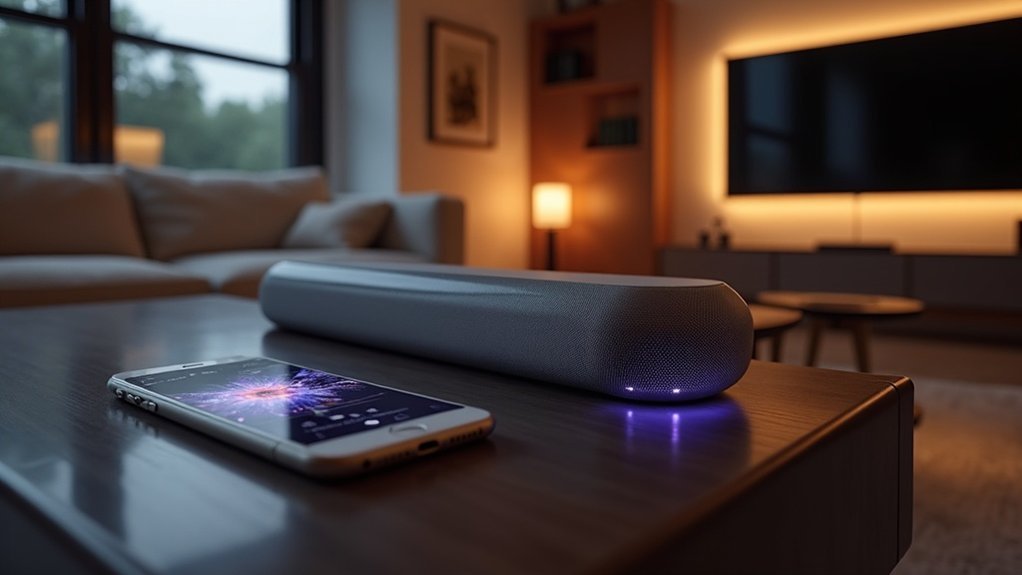
To calibrate your soundbar using a phone app, first select a compatible app that includes features like AI Room Calibration. Prepare your listening area by minimizing obstacles and reducing echo for the best sound quality. Connect your smartphone to the soundbar via Bluetooth or Wi-Fi, then follow the app’s instructions for positioning your phone at ear level. Adjust the audio settings according to your preferences and troubleshoot any connectivity issues that may arise. For additional guidance, there is more detailed information available to help you optimize your sound experience with your soundbar.
Key Takeaways
- Download a compatible calibration app like the LG Sound Bar app or the TCL Home App from your device’s app store.
- Connect your smartphone to the soundbar via Bluetooth or ensure both devices are on the same Wi-Fi network for seamless communication.
- Utilize the AI Room Calibration feature in the app, placing your phone at ear level in the main listening area during the calibration process.
- Follow the on-screen prompts for sound analysis, allowing the app to make automatic adjustments that optimize the audio output of your soundbar.
- Fine-tune sound effects and speaker levels directly through the app to customize your audio experience to suit your personal preferences.
Selecting the Right Calibration App
How do you choose the right calibration app for your soundbar?
Start by ensuring compatibility with your device’s operating system, like Android OS 4.2.2 or later, or iOS devices from iPhone 4 onward.
Look for a calibration app that features AI Room Calibration, which intelligently analyzes your room’s acoustics and optimizes sound output specifically for soundbar use.
Consider options that provide real-time audio analysis and sound level measurements, such as AudioTool or Sound Analyzer, to achieve effective audio balancing tailored to your soundbar.
Finally, opt for apps that allow speaker adjustments and sound effects, making it easier to customize your soundbar experience to your preferences.
Preparing Your Listening Area
To prepare your listening area for optimal soundbar performance, start by clearing any obstacles near the speakers that might disrupt sound distribution.
Position yourself at an ideal listening height and distance from the soundbar to ensure clarity and immersion.
Finally, consider the room’s acoustics by incorporating sound-absorbing materials, which can help reduce echo and enhance the audio fidelity of your soundbar experience.
Clear Obstacles Near Speakers
Clearing obstacles near your soundbar is essential for achieving optimal audio performance. Ensure that no objects, furniture, or decorations obstruct the path between the soundbar and listeners, as this enhances sound dispersion.
Remove any obstacles within a three-foot radius to avoid sound reflections and interference that can distort audio quality. Position your soundbar at ear level when seated to improve clarity and balance in sound output.
After rearranging furniture or décor, regularly test audio settings to ensure that sound quality remains intact. A clutter-free area around the soundbar minimizes distractions and enhances focus on audio quality during calibration and regular use.
Optimal Listening Position
Enhancing your listening position is key to experiencing the full potential of your soundbar. To achieve the best listening position, make sure you sit equidistant from the soundbar and any front speakers, forming an equilateral triangle for balanced sound distribution.
Position yourself at ear level for enhanced clarity and immersion. Avoid placing your seating near reflective surfaces like walls or windows, as these can distort sound quality.
Utilize the calibration feature available in your soundbar’s smartphone app to analyze sound output from your main listening position.
Remember to regularly reassess your setup, especially after rearranging furniture, to maintain peak sound performance and audio experience with your soundbar.
Room Acoustics Considerations
While setting up your soundbar, understanding room acoustics is essential for achieving peak audio performance. Here are key considerations specifically for soundbars:
- Assess Room Dimensions: Irregularly shaped rooms can create sound reflections and dead spots that distort audio quality, affecting how your soundbar performs.
- Incorporate Soft Furnishings: Use carpets, curtains, and upholstered furniture to absorb sound and reduce echo, enhancing the listening experience from your soundbar.
- Positioning the Soundbar: Ensure your soundbar is positioned at ear level when seated for optimal sound projection and clarity.
Experiment with the soundbar’s placement and its distance from walls to enhance bass response.
Utilize the room calibration tools available in your soundbar app for tailored adjustments based on your unique room acoustics, ensuring you get the best performance from your soundbar system.
Running the Calibration Process
To initiate the calibration process for your soundbar effectively, first download the appropriate app for your device, such as the LG Sound Bar app or TCL Home App, from your device’s app store.
Connect your smartphone to the soundbar via Bluetooth or ensure both devices are on the same Wi-Fi network.
Next, locate the AI Room Calibration feature within the app’s settings.
Position your smartphone at ear level in the main listening area as instructed.
Follow the on-screen prompts, allowing the app to analyze the sound output and automatically adjust the soundbar settings for optimal audio performance based on your room’s acoustics.
Adjusting Audio Settings
Adjusting the audio settings on your soundbar can greatly enhance your listening experience, especially when tailored to your specific environment.
To refine your soundbar system and improve bass management, follow these steps:
- Use the LG Sound Bar app to adjust sound effects, speaker levels, and night time options directly.
- Activate the AI Room Calibration feature to analyze your room’s acoustics for precise audio fine-tuning.
- Regularly check speaker assignments and phase settings within the app to guarantee ideal alignment and sound quality.
These adjustments will help you achieve a superior audio experience tailored to your preferences.
Testing Different Audio Content
After fine-tuning your soundbar’s audio settings, the next step involves testing different audio content to evaluate its performance across various genres.
Start with orchestral pieces and action movie soundscapes to gauge clarity and depth. Incorporate dialogue-heavy scenes from films to check vocal clarity against background noise.
Additionally, play bass-heavy music tracks to assess the soundbar’s handling of low frequencies, ensuring no distortion or muddiness occurs.
Regularly switch between audio formats, like stereo and surround sound, for accurate readings on how the soundbar adapts.
This thorough testing will help you achieve balanced audio for movies, music, and games, allowing you to fully enjoy your soundbar’s capabilities.
Regular Recalibration Tips
While it may seem unnecessary, regularly recalibrating your soundbar is essential for maintaining ideal audio performance.
Here are some tips to help you:
- Recalibrate every few months or after rearranging your room to adapt to new acoustics and optimize your soundbar’s performance.
- Utilize the soundbar app’s calibration feature, like AI Room Calibration, for automatic adjustments tailored to your specific setup, ensuring the best sound experience.
- Adjust during different times of the day to account for varying ambient noise and lighting, which can influence sound perception and enhance your listening experience.
Troubleshooting Common Issues
You might encounter connectivity problems if your smartphone isn’t on the same Wi-Fi network as your soundbar, so double-check your connections.
Calibration inaccuracies can arise if the app doesn’t recognize your soundbar, which may require software updates for both the app and the soundbar.
Always position your smartphone at ear level for the best results during the calibration process to ensure optimal sound quality from your soundbar.
Connectivity Problems
When experiencing connectivity problems with your soundbar, it’s essential to ensure that your smartphone is connected to the same Wi-Fi network as the soundbar.
To troubleshoot common connectivity issues, follow these steps:
- Check for software updates for both the soundbar and the calibration app; outdated versions can hinder the calibration process.
- Restart both your soundbar and smartphone if the app fails to recognize the soundbar, as this often resolves temporary glitches.
- If using Bluetooth, confirm that the soundbar is in pairing mode and not connected to other devices, as this can prevent interference during the calibration process.
Calibration Inaccuracies
Connectivity issues can often lead to calibration inaccuracies in soundbars if not addressed properly.
Ensure your smartphone microphone isn’t obstructed and is positioned at ear level to accurately measure sound. Check that all soundbar connections are secure; loose cables can cause inconsistent audio output during calibration.
Minimize background noise, as it can skew results—perform the calibration process in a quiet environment. If unexpected results occur, re-run the calibration, considering changes in speaker placement or room acoustics.
Additionally, regularly update your calibration app to fix software bugs, enhancing performance for more precise sound adjustments during the calibration of your soundbar.







