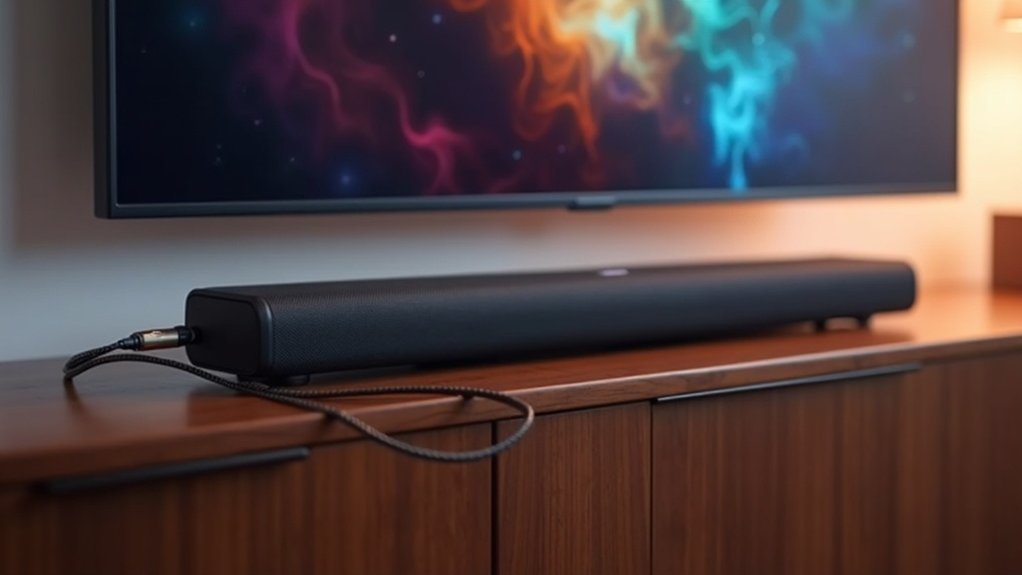
A soundbar can’t share an HDMI input through an ARC adapter, as HDMI ARC is specifically designed for audio return rather than input-sharing. This functionality allows audio to flow from your TV to the soundbar using a single HDMI cable, simplifying your audio setup. For optimal performance, ensure that both your soundbar and TV support HDMI ARC and that CEC is enabled. If you’re interested in learning more about HDMI connections and their advantages in enhancing your soundbar experience, there’s plenty more to discover!
Key Takeaways
- HDMI ARC is primarily designed for audio return, meaning it transmits audio from your TV to the soundbar rather than sharing HDMI inputs.
- Soundbars generally come with a limited number of HDMI inputs, functioning mainly as an audio output device rather than an input hub for multiple devices.
- An HDMI ARC adapter is intended to facilitate audio transmission, not to enable soundbars to share or extend HDMI inputs.
- If you need to connect multiple devices, consider using a separate HDMI switch or a receiver that offers multiple HDMI inputs.
- Always verify the compatibility and specifications of your devices to ensure optimal audio and video performance when using HDMI connections with your soundbar.
Understanding HDMI and Its Importance
When setting up your home entertainment system, understanding HDMI and its importance is crucial for optimizing audio and video quality, especially when integrating a soundbar.
HDMI, or High-Definition Multimedia Interface, streamlines your connections by transmitting high-definition video and audio signals through a single cable.
It’s essential to know which devices support HDMI ARC, as this feature allows audio output to be sent back to your soundbar without the need for additional cables.
Most modern soundbars and devices come equipped with HDMI ports that support ARC, significantly enhancing sound quality.
What Is HDMI ARC?
HDMI ARC, or Audio Return Channel, simplifies your audio setup by allowing sound to travel from your TV to your soundbar through a single HDMI cable.
To take advantage of this feature, both your TV and soundbar need to have ARC-enabled HDMI ports, and you must enable the HDMI CEC setting for seamless control.
While HDMI ARC enhances your soundbar experience, it’s important to note that older TVs may not support all advanced audio formats, which could limit your soundbar’s capabilities.
Benefits of HDMI ARC
Connecting your soundbar to your TV using HDMI ARC can significantly enhance your audio experience. This technology streamlines your setup by allowing a single HDMI cable to transmit audio from the TV back to the soundbar, minimizing cable clutter.
With HDMI ARC, you can enjoy superior audio quality that supports advanced formats like Dolby Digital and DTS, delivering immersive surround sound. Additionally, it allows you to control both your TV and soundbar with just one remote, provided that CEC is enabled.
Moreover, with eARC, you can access lossless audio formats such as Dolby Atmos, taking your soundbar experience to the next level with external speakers.
ARC Compatibility Requirements
To effectively utilize HDMI ARC (Audio Return Channel) with your soundbar, both your TV and soundbar must feature HDMI ports specifically labeled with “ARC.”
This compatibility is essential, as it allows for bi-directional audio transmission over a single cable, simplifying your audio setup. Ensure that the HDMI inputs on both devices support ARC functionality, and activate HDMI CEC (Consumer Electronics Control) to control your soundbar using your TV remote.
While HDMI ARC supports various audio formats, it typically doesn’t transmit uncompressed high-definition audio. For advanced formats like Dolby Atmos, consider upgrading to eARC (Enhanced Audio Return Channel), which requires HDMI 2.1 compatible ports for peak performance.
Benefits of Using HDMI ARC
When connecting your soundbar to a TV, utilizing HDMI ARC provides several key benefits.
HDMI ARC, or Audio Return Channel, streamlines your setup by enabling audio to transmit from the TV to the soundbar through a single HDMI cable, reducing cable clutter.
HDMI ARC simplifies your audio setup by allowing sound transmission from TV to soundbar with just one cable, minimizing clutter.
It also supports high-quality audio formats, including advanced options like Dolby Atmos, which can greatly enhance your listening experience.
Additionally, you can manage the soundbar’s volume and power using your TV remote, creating a more integrated user experience.
Many contemporary soundbars and TVs come equipped with HDMI ARC ports, making it a practical and compatible choice for audio connections.
Setting up HDMI ARC With Your Soundbar
Setting up HDMI ARC with your soundbar allows you to enjoy a streamlined audio experience that enhances your home theater setup.
To connect, simply plug an HDMI cable into your TV’s HDMI (ARC) port and the corresponding input on your soundbar. Ensure that your soundbar supports HDMI ARC functionality, as indicated in the manual.
For seamless control, enable HDMI CEC on both devices, allowing you to adjust the soundbar’s volume and power using your TV remote.
For optimal audio quality, use High Speed HDMI cables to ensure compatibility with advanced audio formats like Dolby Atmos.
Enjoy your enhanced audio experience with your soundbar!
Compatibility: Checking Your Devices
Before connecting your soundbar, it’s essential to verify the compatibility of your devices. Check if your soundbar has an HDMI port supporting ARC functionality and whether both the TV and soundbar feature HDMI ARC ports—typically, only one port on each device supports this.
Review your soundbar’s specifications to ensure it meets your audio needs, including support for formats like Dolby Atmos.
Keep in mind that while ARC transmits audio back to the soundbar, it won’t provide extra HDMI inputs. If your soundbar lacks multiple inputs, consider using an HDMI switch to connect various devices before sending audio to the TV via the ARC adapter.
Troubleshooting Common HDMI ARC Issues
Having confirmed the compatibility of your devices, you may still encounter issues with HDMI ARC functionality when using your soundbar.
To troubleshoot effectively, check the following:
- Ensure both the TV and soundbar are connected to the correct HDMI ARC ports.
- Verify that the HDMI ARC cable you’re using is compatible and not outdated.
- Adjust the TV’s audio output settings to utilize ARC instead of internal speakers.
If audio isn’t transmitting from your soundbar, try switching between bitstream and PCM settings.
Additionally, power cycling your devices can often reset connections.
Finally, use your remote to control settings and verify that CEC is enabled for seamless communication between your TV and soundbar.
The Role of Earc in Modern Audio Systems
As audio technology continues to evolve, eARC (Enhanced Audio Return Channel) plays a vital role in modern soundbar systems by markedly improving the way sound is transmitted between your TV and soundbar.
With eARC, you can enjoy high-quality audio via HDMI, supporting lossless formats like Dolby Atmos and DTS-HD Master Audio. This guarantees multi-channel sound without compression, significantly enhancing your overall listening experience.
Experience unparalleled audio quality with eARC, delivering lossless sound formats like Dolby Atmos for an immersive listening experience.
Additionally, eARC automatically corrects lip-sync issues, ensuring that your audio and video remain perfectly aligned.
To take full advantage of eARC, both your soundbar and TV must have eARC-labeled HDMI ports, and using a high-speed HDMI cable is essential for optimal performance.
Alternative Connection Options for Soundbars
While HDMI is the preferred connection for most modern soundbars due to its ability to transmit high-quality audio and video, there are several alternative options available that can enhance your setup.
Consider these alternatives for connecting your soundbar:
- Optical Cable: This option is useful when HDMI ARC ports are unavailable, though it may lack some advanced audio features.
- HDMI Switch: This device expands HDMI inputs, allowing you to connect multiple devices directly to your soundbar for added convenience.
- Audio Return Channel (ARC): With HDMI ARC, you can send audio back to the TV while receiving video signals from connected devices, simplifying your setup.
These alternative connection options ensure flexibility and compatibility for your soundbar setup, making it easier to enjoy your favorite content with great sound quality.







