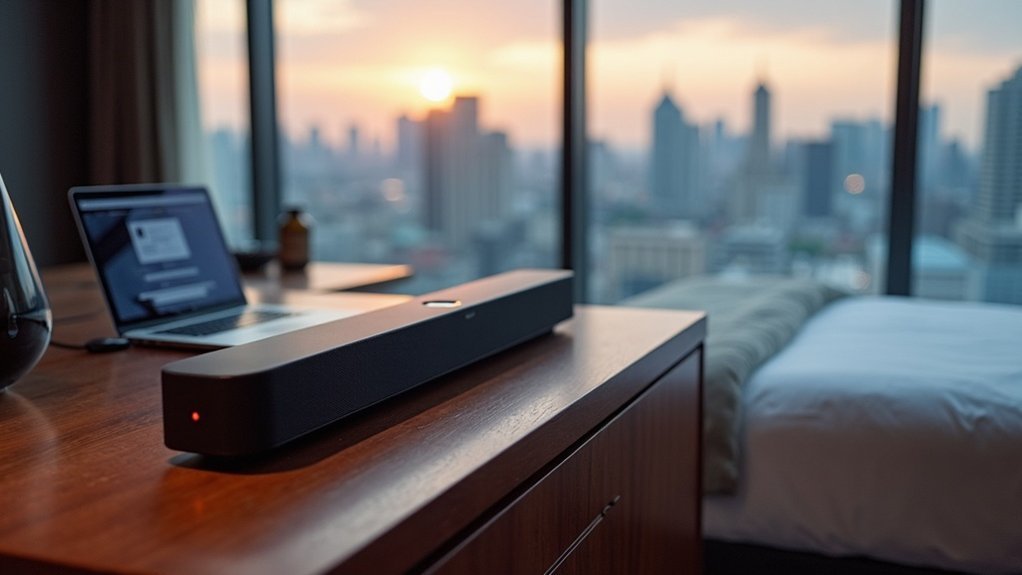
Connecting your soundbar to hotel captive Wi-Fi can be tricky since most soundbars don’t support the web browsers needed for user authentication. If your soundbar only connects via Ethernet, you might face further challenges. A travel router simplifies this by creating a personal network and facilitating logins, allowing your soundbar to connect seamlessly. Alternatively, consider using Bluetooth or auxiliary cables for audio playback. Want to improve your connectivity experience with your soundbar? There’s more to explore on effective setups and troubleshooting options!
Key Takeaways
- Most soundbars lack browser support for captive portals, making direct connection to hotel Wi-Fi difficult.
- Using a travel router simplifies the authentication process by creating a personal Wi-Fi network for your soundbar.
- Bluetooth connectivity allows soundbars to link directly with mobile devices, bypassing Wi-Fi issues entirely.
- Auxiliary cables provide reliable audio output without needing an internet connection, ensuring you can enjoy sound even in hotel settings.
- Rebooting the soundbar or moving closer to the router can help resolve connectivity problems when attempting to connect to hotel Wi-Fi.
Understanding Captive Portals and Soundbar Limitations
When attempting to connect a soundbar to hotel Wi-Fi, you may encounter the challenge of captive portals. These pages require user authentication through a web browser, which most soundbars are unable to support.
This limitation can make it difficult to connect your soundbar directly to the hotel Wi-Fi network. Frustration may arise as you navigate these restrictions, especially since some soundbars only connect via Ethernet—an option that may not always be available in hotel setups.
To enhance your audio experience while traveling, consider using a mobile hotspot or Bluetooth as alternative methods for connecting your soundbar.
Benefits of Using a Travel Router
Using a travel router can significantly improve your soundbar experience while staying at a hotel. This compact device allows you to connect your soundbar and other devices to the internet seamlessly by creating a personal Wi-Fi network.
It simplifies the process by managing authentication, so you won’t have to re-enter login credentials for each device you want to connect. Additionally, a travel router often provides a more stable internet connection, especially when connected via Ethernet, ensuring that you enjoy uninterrupted streaming and high-quality sound from your soundbar.
With added security features like OpenVPN, you can safely access sensitive information while ensuring your soundbar and other devices remain protected during your travels.
Steps to Connect Your Soundbar to Hotel Wi-Fi
Connecting your soundbar to hotel Wi-Fi can significantly enhance your audio experience while traveling, as long as your soundbar supports Wi-Fi connectivity.
Start by powering on your soundbar and selecting the Wi-Fi mode using the source button or remote control. Then, connect your mobile device to the hotel’s Wi-Fi network and download the necessary app, such as Samsung SmartThings, if your soundbar is compatible.
Follow the app’s prompts to select your soundbar and enter the hotel Wi-Fi login credentials. Be aware that captive portals may complicate this process.
If you encounter any issues, try rebooting your soundbar or verify whether the hotel network permits guest devices to connect.
Troubleshooting Connection Issues
Troubleshooting connection issues with your soundbar can save you time and frustration during your stay at a hotel. If you’re experiencing difficulties connecting, first verify that you’ve entered the correct Wi-Fi credentials. Rebooting the soundbar can also help resolve minor issues. Be sure to check the user manual for any specific compatibility requirements related to your soundbar model. If the captive portal continues to be a challenge, consider using a mobile hotspot or Bluetooth to connect multiple devices for audio playback.
| Issue | Solution | Notes |
|---|---|---|
| Incorrect password | Double-check Wi-Fi credentials | Common issue |
| Soundbar won’t connect | Reboot the soundbar | Simple fix |
| Captive portal issue | Use mobile hotspot or Bluetooth | Alternative connection method |
| Compatibility issues | Refer to user manual | Check network requirements |
| Weak signal | Move closer to router | Improve connection stability |
Alternative Audio Solutions for Travelers
While enjoying your stay at a hotel, you might find that traditional soundbar connectivity isn’t always reliable due to restrictive Wi-Fi networks.
To enhance your audio experience with your soundbar, consider Bluetooth connectivity, which allows it to connect directly to your mobile device without depending on Wi-Fi.
Enhance your soundbar experience with Bluetooth connectivity for direct audio streaming from your mobile device, no Wi-Fi needed.
If you still prefer using your soundbar, employing a travel router can help you bypass captive portals by creating a personal network.
Additionally, connecting via an auxiliary cable or HDMI ARC ensures dependable audio output without relying on hotel Wi-Fi.
Enjoy high-quality sound from your soundbar wherever you go!







