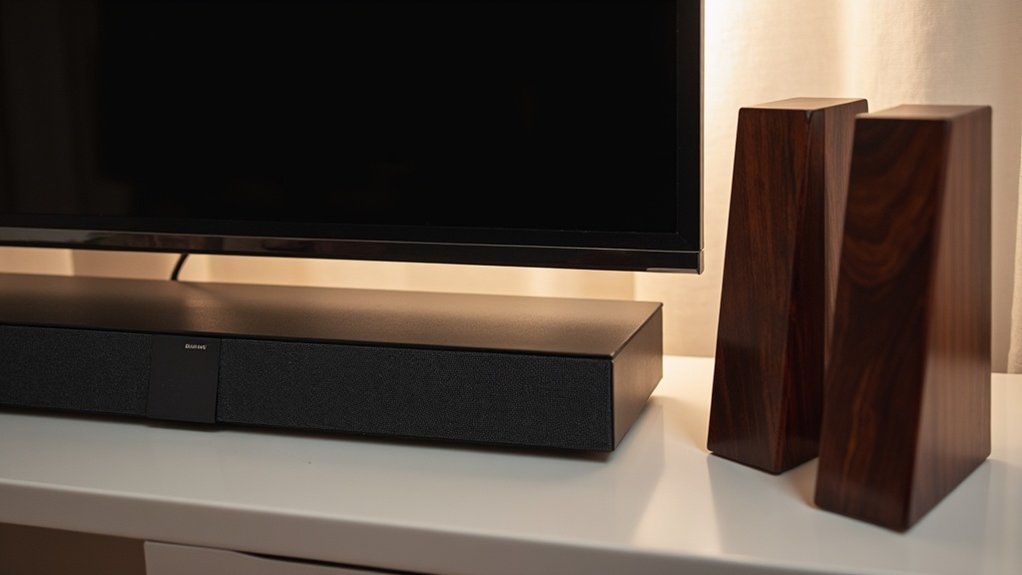
Pairing a soundbar with bookshelf speakers as rear channels can present challenges due to compatibility limitations and the need for external amplification. Most soundbars do not have the necessary outputs for passive speakers, which complicates the connection process. If your soundbar supports surround speakers, it’s advisable to use those for seamless integration. Additionally, ensuring proper alignment and amplification is crucial for achieving optimal sound quality. For further assistance, there are various detailed options and troubleshooting tips available to enhance your soundbar experience.
Key Takeaways
- Most soundbars do not support direct connections to passive bookshelf speakers without an external amplifier, which restricts their use as rear speakers.
- Some soundbars come with dedicated outputs for wireless surround speakers, but finding compatibility with bookshelf speakers is uncommon.
- To connect bookshelf speakers as rear speakers, an external amplifier is usually required to manage power needs and impedance.
- While soundbars deliver a satisfying audio experience, integrating bookshelf speakers can result in connectivity and latency challenges.
- For the best performance, it’s recommended to use surround speakers that are specifically designed for the soundbar to ensure seamless integration.
Understanding Soundbar Outputs
When you explore soundbar outputs, it’s essential to recognize that most soundbars are designed with specific connections in mind, primarily for subwoofers and compatible surround speakers.
Typically, soundbars feature optical or HDMI ARC outputs, which don’t support passive bookshelf speakers needing an amplifier.
Most soundbars utilize optical or HDMI ARC outputs, which are incompatible with passive bookshelf speakers requiring an amplifier.
While some soundbars offer dedicated outputs for additional wireless surround speakers, integrating standard bookshelf speakers complicates setup. You’d usually require a separate amplifier or a wireless speaker kit to manage discrete audio signals.
Always verify that your soundbar supports the necessary connections to avoid potential latency and audio quality issues with non-compatible systems.
Compatibility Between Soundbars and Bookshelf Speakers
While soundbars offer a streamlined solution for improving audio quality, their compatibility with bookshelf speakers is often limited.
Most soundbars aren’t designed for direct pairing with bookshelf speakers for rear sound effects. Although a few models may have outputs for external speakers, these instances are rare and differ significantly among brands.
Connecting bookshelf speakers typically requires an external amplifier, which can complicate the setup and potentially affect sound quality.
For optimal performance and audio channel distribution, it’s advisable to use surround speakers specifically designed for your soundbar.
Alternatively, consider a receiver-based home theater system for enhanced flexibility and sound experience.
Amplification Requirements for Bookshelf Speakers
When choosing a soundbar to pair with your bookshelf speakers, it’s essential to consider impedance compatibility and power requirements.
Most bookshelf speakers operate between 4 to 8 ohms, and the soundbar should deliver adequate wattage—typically between 20 to 100 watts per channel—to ensure clear sound without distortion.
Proper selection will enhance your audio experience, allowing for a cohesive sound profile when integrating with other audio components.
Amplifier Selection Criteria
How do you guarantee peak performance when selecting a soundbar for your audio setup? Focus on matching power handling, impedance, and connectivity. Here’s a quick guide:
| Criteria | Recommendation | Importance |
|---|---|---|
| Power Handling | Soundbar wattage ≥ Speaker RMS | Prevents distortion and damage |
| Impedance | Match 4, 6, or 8 ohms | Avoids system overload |
| Channels | Multi-channel for surround setup | Secures full audio experience |
| Connectivity | Optical, HDMI ARC, RCA inputs | Seamless integration with other devices |
| Features | Built-in equalization | Optimizes audio performance |
Power Requirements Explained
To achieve ideal sound quality with soundbars, it’s crucial to understand their power requirements, as they typically have built-in amplifiers designed for effective performance.
The power output of the soundbar should match its wattage needs to guarantee peak sound and prevent distortion. Additionally, verify the impedance ratings—commonly 4, 6, or 8 ohms—are compatible with your source device to avoid overheating or degraded audio quality.
If you’re using a soundbar with a subwoofer, ensure that it supports multi-channel output for a more immersive experience.
Finally, consider the physical size and design of the soundbar for proper placement and optimal sound dispersion in your home theater setup.
Setting Up Bookshelf Speakers as Rear Channels
Although setting up bookshelf speakers as rear channels can enhance your audio experience with your soundbar, it requires careful consideration of the soundbar’s capabilities.
Follow these steps for an ideal setup:
- Check Compatibility: Ensure your soundbar features a line-out or dedicated surround output for connecting external speakers.
- Amplification Needs: If your soundbar can’t directly power passive bookshelf speakers, consider using an external amplifier.
- Speaker Placement: Position your bookshelf speakers behind the listening area, angled toward you, and ensure they’re equidistant from the soundbar to achieve balanced audio.
Evaluating Audio Quality With a Soundbar and Bookshelf Speakers
When evaluating audio quality, you’ll discover that using a soundbar alone can provide a satisfying audio experience with enhanced clarity and convenience.
Soundbars are designed to deliver a wide soundstage, offering rich midrange and bass without the need for additional speakers.
While integrating bookshelf speakers can enhance sound quality further, it often introduces connectivity challenges and requires additional amplification.
Therefore, for those seeking an easier setup with optimal audio fidelity, a soundbar is a great choice, as it simplifies calibration and positioning, ensuring balanced sound throughout your space.
Audio Quality Comparison
When comparing audio quality between soundbars and bookshelf speakers, it’s important to recognize the unique advantages of soundbars that can elevate your listening experience.
Here are three key aspects to consider:
- Compact Design: Soundbars are designed to fit seamlessly into your entertainment setup, making them a great space-saving option without sacrificing sound quality.
- Enhanced Surround Sound: Many soundbars come with advanced technology that simulates surround sound, creating an immersive audio experience without the need for multiple speakers.
- Integrated Subwoofers: Many soundbars include built-in subwoofers or the option to pair with external subwoofers, delivering deep bass that enhances movies and music alike.
While soundbars offer numerous benefits, it’s essential to ensure compatibility with your existing equipment for optimal performance and integration.
Connectivity Challenges Explained
Connecting bookshelf speakers to a soundbar can present several challenges that impact audio quality.
Soundbars typically don’t have direct outputs for passive speakers, requiring additional amplifiers for optimal performance. Furthermore, many soundbars are designed to process audio specifically for their integrated speakers, making it difficult to achieve a seamless integration with external bookshelf speakers. This can result in mixed audio signals instead of discrete channels, which degrades the overall surround sound experience.
Additionally, using auxiliary inputs may restrict audio quality to two-channel sound, which falls short of true surround setups. Lastly, wireless connections can introduce latency and interference, further complicating audio performance compared to dedicated surround sound systems.
Alternative Options for Surround Sound
While sound bars offer a streamlined solution for home audio, there are alternative options that can elevate your surround sound experience even further. Here are some choices to consider:
- Wireless Speaker Kits: These systems allow you to connect additional speakers, potentially enhancing your audio setup. However, be mindful that they may compromise audio quality due to mixed signals.
- Compatible Amplifiers: If you’re using bookshelf speakers, ensure they’re paired with a suitable amplifier. Remember that sound bars typically provide a different power output compared to traditional passive speakers.
- Integrated Surround Sound Systems: Some sound bars, particularly those from brands like Nakamichi or Bose, offer built-in surround sound capabilities. These models can deliver exceptional audio performance without the need for additional equipment.
Troubleshooting Common Connection Issues
When troubleshooting connection issues with your soundbar, it’s crucial to first verify compatibility, as not all soundbars support external speaker connections.
If you’re using a wireless speaker kit, be mindful that some kits may transmit mixed audio signals, leading to poor audio quality. Check for audio delay or latency, as non-compatible speakers can disrupt synchronization.
Utilize digital optical connections over auxiliary inputs, as they enhance audio quality and support more channels.
Finally, confirm that your soundbar is within the operational range of your wireless kit and that there are no significant interference sources nearby.
Recommendations for Optimal Performance
To achieve peak performance with your soundbar, it’s vital to prioritize compatibility and integration with additional audio components.
Follow these recommendations for ideal audio quality:
- Use Compatible Speakers: Opt for surround speakers that are natively compatible with your soundbar to guarantee seamless integration and optimal sound performance.
- Employ a Wireless Speaker Kit: If you plan to enhance your soundbar setup with bookshelf speakers, consider a wireless kit that supports 5.1 channel audio for the best surround sound experience.
- Check Specifications: Always verify the compatibility and specifications of your soundbar with any additional speakers to prevent connection issues and enhance overall sound quality.







