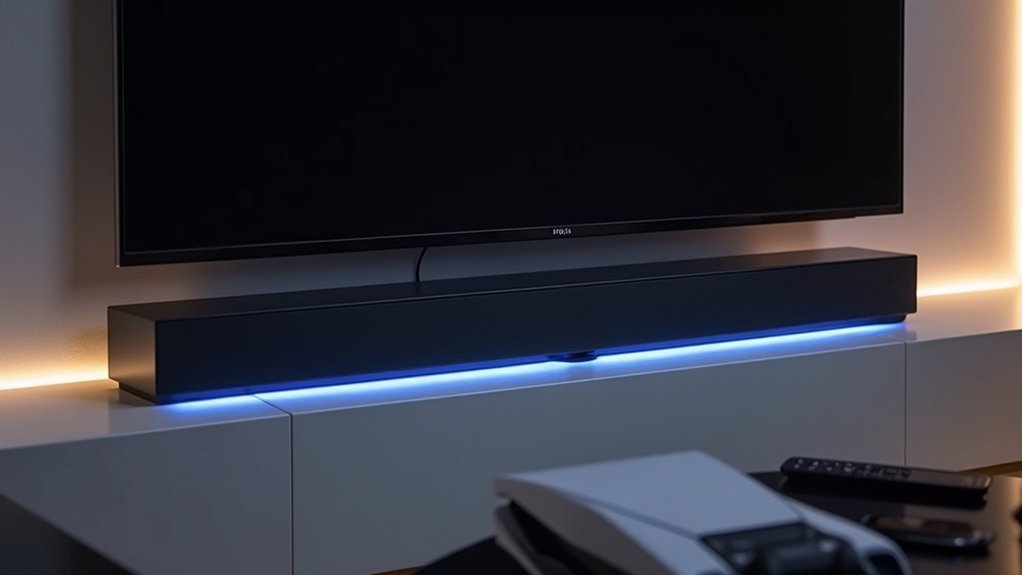
Yes, you can control your soundbar’s volume with your PS5 if it’s connected via HDMI ARC. This setup allows for a streamlined audio experience where the PS5 communicates with your TV, enabling volume adjustments directly through the TV settings. However, be aware that some soundbar models might encounter compatibility issues. For optimal performance, consider factors such as positioning and connection quality. Explore additional tips and features to enhance your audio experience with your soundbar.
Key Takeaways
- A soundbar can be controlled through the PS5 if connected to the TV using an HDMI cable with ARC support.
- The PS5 communicates with the TV, allowing basic volume adjustments for the connected soundbar.
- Compatibility with specific soundbar brands, like EDIFIER, may affect the volume control functionality.
- Users often prefer adjusting volume through the TV settings for convenience and simplicity.
- Advanced audio customization features are typically not available through the PS5’s volume settings.
Functionality of Sound Bar Integration With PS5
How does integrating a soundbar with your PS5 enhance your gaming experience? By connecting your soundbar via an HDMI cable, you streamline audio output, allowing the PS5 to communicate with your TV, which in turn controls the soundbar.
This setup enables you to adjust the volume easily through your TV’s settings, providing a seamless experience. However, some soundbar models, like EDIFIER, might present compatibility issues, limiting your remote functionality to basic volume control without advanced settings.
Still, most users find that soundbar integration greatly enhances audio quality, enriching both gaming and cinematic experiences. To fully enjoy the immersive soundscapes that modern games offer, investing in a high-quality soundbar can be a game-changer.
User Experiences and Feedback on Sound Control
When it comes to controlling sound bars, many users appreciate the convenience of adjusting volume through their TV, but not everyone finds it seamless.
Compatibility challenges can arise with certain models, such as the EDIFIER sound bar, which can lead to frustration.
While basic volume control is generally effective, there’s a noticeable demand for more advanced features that enhance the overall user experience with sound bars.
Volume Control Limitations
While many users appreciate the convenience of controlling their soundbar volume through the TV, it’s clear that limitations exist that can impact the overall experience with soundbars.
The PS5 communicates with the TV, not directly with the soundbar, which can lead to issues, especially with certain models like EDIFIER.
You’ll find that remote functionality is basic, allowing only simple volume adjustments without access to advanced features like equalization or bass settings.
While integration generally satisfies users, there’s a strong desire for more control over audio input, indicating that many would prefer a richer sound customization experience when using their soundbars.
Compatibility Challenges Noted
User experiences reveal a range of compatibility challenges when controlling soundbars with the PS5.
Some users, like TK421, found success by adjusting TV settings, while others, such as LudoviconicolasG, faced issues with specific soundbar brands.
CubApo noted that while volume control was functional, the availability of additional sound options was limited, which detracted from the overall experience.
Anonymous feedback indicates that soundbar control generally aligns with devices connected to the TV, suggesting potential for broader compatibility in well-integrated setups.
Ultimately, while some users are satisfied, the degree of functionality varies significantly depending on the soundbar model you select.
Limitations of Remote Control for Sound Bars
Although sound bars enhance your audio experience, their remote controls often come with significant limitations. Typically, you can adjust the volume, but advanced features like equalizer settings or bass effects are often missing.
While some remotes allow you to turn your TV on and off, they don’t offer full control over the sound bar’s functionalities. Many users express frustration over the limited options available, which can hinder their ability to customize audio preferences.
Additionally, compatibility varies by model and brand, impacting how well the remote interacts with different setups, further constraining your overall audio management experience with sound bars.
Compatibility of Sound Bars With Various Devices
When considering the compatibility of sound bars with various devices, it’s crucial to recognize that not all sound bars are created equal.
Many sound bars can be controlled through your TV, allowing you to adjust the volume seamlessly via the TV remote while gaming on your PS5. However, compatibility varies by brand and model, leading to different user experiences.
Some users enjoy smooth integration, while others face challenges with specific sound bar models. Before purchasing a sound bar, it’s wise to check compatibility to guarantee a satisfying audio experience.
Setup Considerations for Optimal Sound Performance
To achieve optimal sound performance with your soundbar while gaming on the PS5, it’s essential to consider several key factors in your setup.
First, ensure that your TV is equipped with an HDMI ARC port to facilitate a seamless connection and enable convenient volume control.
Utilize high-quality HDMI cables to reduce audio lag, particularly when enjoying 4K Ultra HD and HDR content.
Position your soundbar strategically within the room to enhance audio distribution, creating a more immersive gaming experience.
Additionally, be sure to check for firmware updates to ensure ongoing compatibility and functionality of your soundbar.
Lastly, take note of your room’s acoustics; reflective surfaces can significantly influence audio quality, impacting your overall gaming enjoyment.
Adjusting Audio Output Settings on PS5
How can you ensure that your audio experience on the PS5 is perfectly optimized for your soundbar?
Start by navigating to Settings > Sound, then select Audio Output. Here, you can designate your soundbar as the Output Device, ensuring that audio is directed correctly to enhance your listening experience.
To facilitate seamless transitions, activate the “Switch Output Device Automatically” option.
If you’re connecting through an AV amplifier, make sure to set the HDMI Device Type accordingly to unlock specialized audio settings.
Finally, you can adjust the Number of Channels and Speaker Positions to fine-tune sound balance, elevating your overall gaming experience.
With these adjustments, you’ll maximize the performance of your soundbar for an immersive audio experience.







