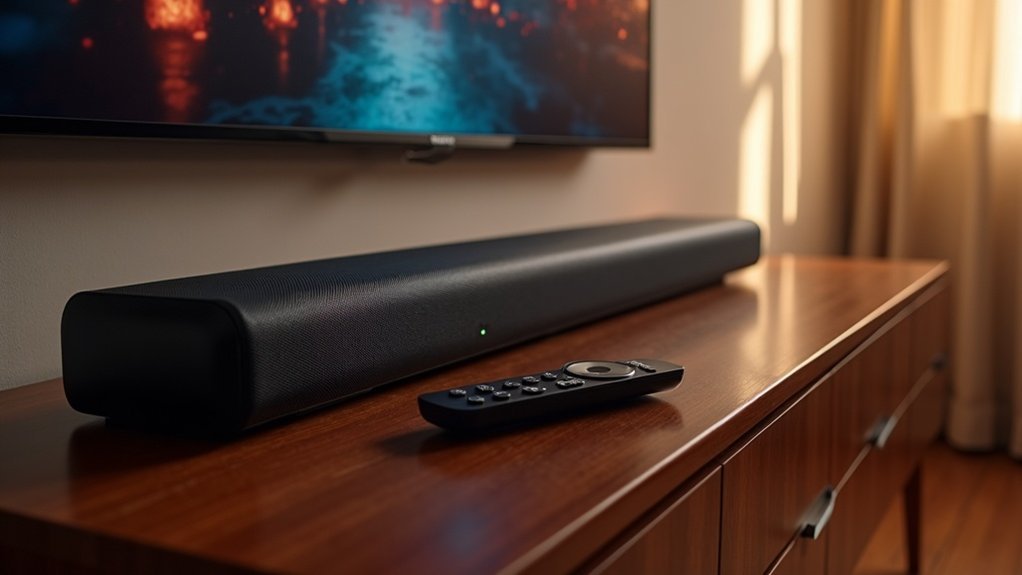
When deciding between PCM and Bitstream for your soundbar, opt for PCM when you prioritize superior audio fidelity, minimal latency, and compatibility with high-resolution formats. PCM transmits audio losslessly, making it perfect for straightforward setups and ensuring quick synchronization with visuals. This format is particularly effective in 2.1 soundbars and can help resolve common audio issues. However, if your soundbar supports advanced surround sound formats, Bitstream may be the preferable choice. There is much to consider regarding the advantages of both formats and their practical uses in enhancing your soundbar experience.
Key Takeaways
- Choose PCM for soundbars to achieve higher audio fidelity with uncompressed audio signals, especially in simpler setups like 2.1 configurations.
- Opt for PCM if you experience latency issues with Bitstream, ensuring better audio-video synchronization during playback on your soundbar.
- Use PCM for soundbars that do not support advanced audio formats, simplifying compatibility and reducing troubleshooting challenges.
- Select PCM to avoid compression artifacts in your soundbar’s audio output, preserving sound integrity and ensuring consistent audio quality across various playback scenarios.
- PCM is ideal for high-resolution audio formats on soundbars, supporting up to 24-bit/192kHz for optimal listening experiences.
Overview of PCM and Bitstream
When selecting audio formats for your soundbar, understanding the distinction between PCM and Bitstream is essential for optimizing your listening experience.
PCM (Pulse Code Modulation) transmits audio in an uncompressed, lossless manner, ensuring superior audio quality by directly representing each channel. It supports multi-channel audio configurations, accommodating systems like 7.1 surround sound, which is perfect for enhancing your soundbar’s performance.
On the other hand, Bitstream sends compressed formats such as Dolby Digital, which requires external decoding and may introduce quality loss. While Bitstream can handle advanced audio formats, it often incurs higher latency due to its complexity.
Consequently, choosing PCM for your soundbar generally results in lower latency and a more faithful audio experience, making it an excellent choice for audiophiles.
Advantages of PCM for Soundbars
When you select PCM for your soundbar, you enjoy the advantages of high audio fidelity that provides precise sound reproduction.
This format effectively reduces latency issues, ensuring that your audio aligns perfectly with the visual content you’re watching.
Additionally, PCM’s wide compatibility with numerous devices streamlines your setup, making it a perfect choice for enhancing any home audio system with your soundbar.
High Audio Fidelity
High audio fidelity is a hallmark of PCM (Pulse Code Modulation) technology, which excels in delivering uncompressed audio signals for soundbars.
With PCM, soundbars can reproduce detailed audio across all frequencies, making them ideal for music playback and immersive soundscapes. Supporting high-resolution audio formats up to 24-bit/192kHz, PCM enhances the listening experience for audiophiles using soundbars.
Its straightforward decoding process allows for effective multi-channel PCM setups, providing versatility for various audio configurations in home entertainment systems. This capability guarantees that audio signals maintain their integrity, preserving high audio fidelity while accommodating two-channel or surround sound, consequently making PCM a superior choice for quality soundbars.
Reduced Latency Issues
While many audio formats can introduce delays, PCM (Pulse Code Modulation) stands out for soundbars by ensuring real-time playback through direct decoding at the source device.
By using PCM with your soundbar, you transmit uncompressed audio signals, significantly reducing the chances of audio delay that can occur with compressed bitstream formats.
PCM’s straightforward signal path minimizes decoding complexity, leading to lower latency and improved audio synchronization. This is especially beneficial in gaming or live performances, where precise timing is crucial.
Connecting your soundbar directly to a device like a PS4 with PCM simplifies troubleshooting and enhances responsiveness, creating a seamless audio experience that elevates your home entertainment setup.
Compatibility With Devices
Choosing PCM for your soundbar enhances compatibility with various devices, ensuring a seamless audio experience. Here are three key benefits:
- Direct Playback: PCM allows for straightforward integration with devices like TVs and gaming consoles, eliminating the need for additional decoding, making it easier to set up your soundbar.
- High-Resolution Audio: Soundbars supporting PCM can effectively handle high-resolution audio formats, delivering superior audio quality without compression issues, perfect for an immersive listening experience.
- Widespread Support: Many entry-level and mid-range soundbars are designed to work seamlessly with PCM, making it an excellent choice for basic audio setups without complicating the process.
With PCM, you’ll enjoy clear audio reproduction, minimizing the risk of codec incompatibility and simplifying your audio setup.
When to Use Bitstream for Soundbars
Bitstream is often the best choice when using a soundbar equipped with advanced surround sound capabilities like Dolby Digital or DTS. This method allows your soundbar to receive multi-channel audio formats, creating a more engaging listening experience.
When your soundbar features a built-in decoder, Bitstream transmits compressed audio signals directly, optimizing playback quality. Additionally, Bitstream efficiently manages audio data, making it ideal for streaming high-quality audio without sacrificing sound fidelity.
Many modern soundbars seamlessly support these audio formats, enhancing dynamic range and spatial effects, which makes them superior to standard stereo PCM for immersive surround sound experiences.
Configuration Tips for Optimal Audio Quality
Configuring your soundbar for ideal audio quality involves understanding the strengths of PCM, especially when dealing with two-channel audio. Here are some configuration tips specifically for soundbars:
- Use PCM Output: Select PCM for two-channel audio to guarantee lossless quality and prevent compression artifacts, ensuring a clear and rich sound experience.
- Check LPCM Support: Confirm that your soundbar supports LPCM for the best multichannel audio when connected via HDMI, allowing for a more immersive audio experience.
- Adjust Settings: If you experience audio delays with Bitstream, switching to PCM can help reduce latency, particularly on gaming consoles like the PS4, providing a smoother audio performance.
Regularly verify your soundbar and source device settings to optimize audio output for PCM and enhance your overall sound quality.
Comparing Audio Quality: PCM vs. Bitstream
When comparing audio quality in soundbars, PCM provides lossless audio fidelity, ensuring that you hear every detail as intended.
In contrast, Bitstream relies on compression algorithms that can compromise sound quality, particularly in dynamic audio environments.
Understanding these differences is essential for achieving the best listening experience with your soundbar, tailored to your needs.
Lossless Audio Fidelity
While both PCM and bitstream formats are prevalent in modern soundbars, choosing PCM can greatly enhance your audio experience due to its lossless audio fidelity.
Here are some key benefits:
- Preservation of Detail: PCM maintains the full detail of the original recording without introducing compression artifacts, making your favorite tracks sound as they were intended.
- Multi-Channel Support: It supports multi-channel audio up to 7.1 surround sound without quality loss, providing a more immersive listening experience compared to some compressed formats.
- Efficient Decoding: The decoding process occurs at the source device, allowing for precise audio reproduction with minimal latency, ensuring superior audio quality compared to bitstream options like Dolby TrueHD.
Compression and Quality Impact
Choosing between PCM and bitstream formats can greatly affect your soundbar’s audio quality, especially when considering the nuances of compression.
PCM delivers superior audio fidelity as a lossless format, accurately representing sound without compression. In contrast, bitstream formats like Dolby Digital often employ compression algorithms, risking the loss of detail in intricate soundscapes.
While PCM supports multi-channel audio with high sampling rates, the quality of bitstream can fluctuate based on the codec used. Additionally, PCM’s lack of latency enhances your listening experience, particularly for fast-paced media.
For critical listening on a soundbar, PCM is the clear choice for preserving audio integrity and ensuring an immersive audio experience.
Practical Applications for PCM and Bitstream
Understanding the practical applications of PCM and Bitstream can significantly enhance your soundbar experience. Here are three key scenarios to consider:
- Two-channel music: PCM provides lossless audio quality, which is perfect for audiophiles who desire pristine sound from their soundbars.
- Audio quality consistency: PCM typically ensures better performance in limited channel setups, such as a 2.1 soundbar, without encountering downmixing issues.
- Latency reduction: For gaming or video playback, switching to PCM can eliminate audio delays, resulting in a more synchronized experience with your soundbar.
Troubleshooting Common Audio Issues
Audio issues can significantly disrupt your viewing or listening experience, particularly when using a soundbar.
If you encounter latency problems with Bitstream, consider switching to PCM; this setting allows your source device to decode audio, thereby reducing delay. For soundbars that don’t support advanced formats like DTS or Dolby Atmos, PCM ensures compatibility and prevents dropouts by delivering a straightforward audio signal.
If you’re experiencing latency with Bitstream, switching to PCM can help reduce delay and ensure audio compatibility.
When troubleshooting audio quality, it’s advisable to use PCM during music playback to maintain high fidelity and avoid compression artifacts.
Additionally, make sure to check the settings on both your soundbar and source device for compatibility; mismatched configurations can lead to distorted sound or complete audio loss.







