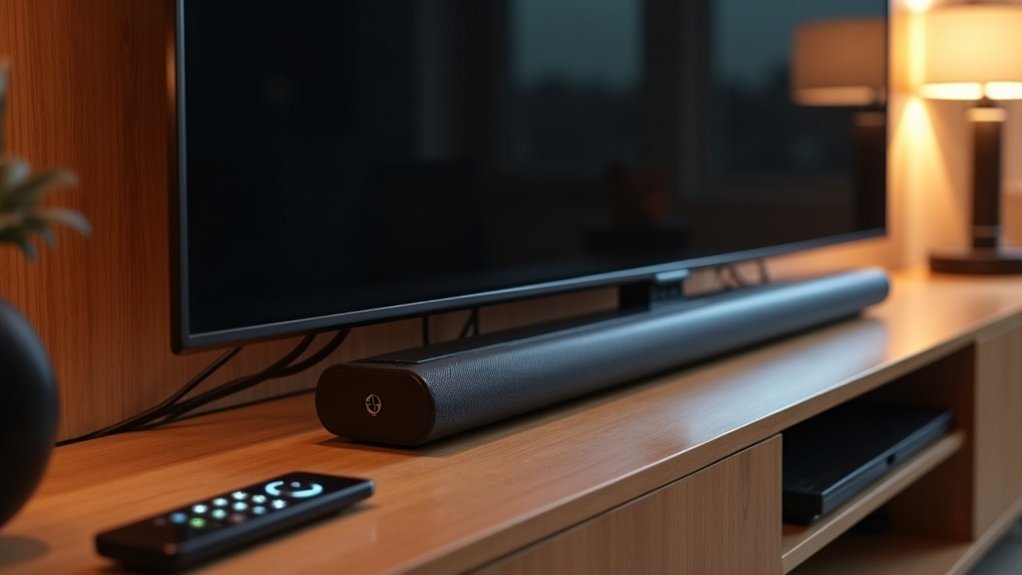
To enable passthrough for your soundbar, connect it to the TV using the HDMI ARC port. Navigate to your TV’s audio settings and enable HDMI ARC, then select an output format that supports passthrough, such as Dolby Digital or DTS. Ensure that your soundbar is compatible with these audio formats. Additionally, keeping your soundbar’s firmware updated will help you achieve optimal performance. There’s much more to discover regarding enhancing your soundbar audio setup!
Key Takeaways
- Connect your soundbar to the TV using the HDMI ARC port to effectively enable audio passthrough.
- Access the soundbar’s audio settings menu and activate the passthrough option for optimal performance.
- In the TV settings, make sure HDMI ARC is enabled and set to passthrough mode for accurate audio signal transmission.
- Verify that both the soundbar and TV support the same audio formats, such as Dolby Digital or DTS, to ensure seamless passthrough.
- Regularly update your soundbar’s firmware to enhance compatibility and address any potential passthrough issues.
Understanding HDMI ARC and Earc
When connecting your soundbar to your TV, it’s crucial to understand HDMI ARC and eARC for optimal audio performance.
HDMI ARC (Audio Return Channel) streamlines your setup by enabling audio to flow back from your TV to the soundbar through a single HDMI cable, reducing clutter and simplifying connections.
eARC (Enhanced Audio Return Channel) takes this a step further, supporting higher bandwidth formats like Dolby Atmos and DTS:X, which significantly enhances sound quality.
To ensure the best performance, make sure to enable HDMI ARC/eARC in both your TV and soundbar settings.
Additionally, confirm that your soundbar is connected to the appropriate HDMI ARC port and check for compatibility with various audio formats to ensure seamless passthrough functionality.
This knowledge will help you maximize your soundbar’s capabilities for an immersive audio experience.
Connecting Your Soundbar to the TV
To connect your soundbar to the TV effectively, use the HDMI ARC port for seamless audio passthrough.
Be sure to enable S/PDIF passthrough in your TV settings to ensure the soundbar receives the audio signal correctly.
It’s also important to check that both your soundbar and TV support the same audio formats for optimal performance.
HDMI ARC Configuration
Connecting your soundbar to the TV via HDMI ARC is essential for enabling passthrough functionality. First, ensure that the HDMI ARC port on your TV is correctly connected to the soundbar.
Next, check the audio settings on your TV to confirm that HDMI ARC is enabled and set to passthrough mode. This configuration allows audio from your TV apps to transmit directly to the soundbar, enhancing your audio experience.
Additionally, make sure that your soundbar supports the audio formats used by your TV, such as Dolby Digital (DD) or DTS, to avoid any playback issues.
If passthrough isn’t functioning with built-in apps, consider connecting external devices to enhance the surround sound capabilities of your soundbar.
S/PDIF Passthrough Settings
While ensuring a seamless audio experience with your soundbar, enabling S/PDIF passthrough is essential for optimal performance.
First, check that your soundbar is connected to the TV’s S/PDIF or optical out port. Next, activate the S/PDIF passthrough setting in your TV’s audio menu, allowing direct digital audio transmission to your soundbar.
Make sure your TV outputs compatible formats like Dolby Digital (AC3) and DTS, while avoiding unsupported formats such as Dolby Digital Plus (E-AC3). To preserve audio integrity, disable any stereo upmix features that may alter the sound.
Finally, regularly update your TV’s firmware to enhance S/PDIF passthrough functionality and resolve potential issues, ensuring your soundbar delivers the best audio experience possible.
Accessing TV Audio Settings
Accessing your soundbar’s audio settings is essential for enabling passthrough, ensuring you get the finest audio experience. Follow these steps:
- Navigate to your soundbar’s audio settings menu.
- Enable HDMI ARC (Audio Return Channel) for peak audio output.
- Select an audio output format that supports passthrough, like Dolby Digital or DTS.
- If available, enable the S/PDIF passthrough option for proper signal reception.
Additionally, check that built-in apps on your devices output audio in a compatible format.
Regularly update your soundbar’s software for improved compatibility and functionality.
Selecting the Correct Audio Format
How can you guarantee the best audio experience with your soundbar? Start by selecting the correct audio format.
Ensure your TV settings are configured to output formats like Dolby Digital (DD) and DTS, as these are essential for optimal sound quality. If you’re using a media player like Kodi, set the audio output format to passthrough to maintain the original audio without alteration.
Additionally, make sure that S/PDIF passthrough is enabled in your TV settings. Keep in mind that built-in TV apps, such as Netflix or Prime Video, may not support passthrough, which often means you’ll need to use external devices to achieve true surround sound functionality.
Enabling Passthrough on the TV
To enable passthrough on your soundbar setup with your TV, start by activating the HDMI ARC setting in the audio output options. Follow these steps:
To activate passthrough for your soundbar, begin by enabling the HDMI ARC setting in your TV’s audio output options.
- Connect your soundbar to the HDMI ARC port on your TV for seamless two-way communication.
- Enable the S/PDIF passthrough option in the TV settings to ensure optimal audio transmission.
- Check for the latest firmware updates on your TV, as this can significantly enhance the passthrough functionality for your soundbar.
- If using built-in TV apps, be aware that passthrough may be disabled, which could limit surround sound to external HDMI devices only.
Ensuring Soundbar Compatibility
To ensure your soundbar functions correctly with passthrough, first verify that it supports essential audio formats such as Dolby Digital and DTS.
For optimal audio quality, connect your soundbar to the TV using an HDMI ARC connection.
Additionally, make sure to adjust your TV’s passthrough settings to ensure that the soundbar receives the correct audio signal from your connected devices.
Audio Format Support
Ensuring your soundbar is compatible with various audio formats is essential for achieving ideal passthrough performance.
To optimize audio format support for your soundbar, follow these steps:
- Confirm your soundbar supports Dolby Digital (DD), Dolby Digital Plus (DDP), and DTS.
- Check your soundbar’s specifications for any format limitations, especially for DD+.
- Enable S/PDIF passthrough in your TV settings to transmit the audio signal effectively to your soundbar.
- For Kodi or similar media players, maintain passthrough settings to output original audio formats without altering the channel structure, ensuring your soundbar delivers the best audio experience.
HDMI ARC Connection
A proper HDMI ARC connection is essential for seamless audio passthrough between your TV and soundbar.
First, ensure your soundbar is connected to the TV via HDMI ARC, which allows compatible audio formats like Dolby Digital and DTS to transmit effectively. Check that your soundbar supports these formats, as not all models do.
Additionally, enable S/PDIF passthrough in your TV settings to deliver the correct audio signal. Use a high-speed HDMI cable that’s ARC-compatible to avoid transmission issues.
Finally, select the appropriate audio output setting in your TV’s audio menu to achieve peak performance with your soundbar using HDMI ARC.
Passthrough Settings Adjustment
While setting up your soundbar for optimal audio passthrough, it’s crucial to adjust the settings on both your TV and soundbar to ensure seamless compatibility.
Follow these steps:
- Connect the soundbar’s HDMI port to the TV’s HDMI ARC port for reliable passthrough functionality.
- Enable the S/PDIF passthrough feature in your TV settings to ensure proper audio transmission.
- Set the TV audio output to “Bitstream” or “Passthrough” to preserve the original audio format.
- Confirm that your soundbar supports essential audio formats such as Dolby Digital and DTS, and keep the firmware updated to avoid compatibility issues.
Updating Firmware for Optimal Performance
To achieve optimal performance from your soundbar, it’s crucial to regularly check for firmware updates. Manufacturers frequently release these updates to enhance compatibility with various audio formats.
Be sure to consult your soundbar’s user manual or the manufacturer’s website for specific instructions on downloading and installing firmware updates. Ensure your soundbar is connected to the internet—either via Wi-Fi or Ethernet—to enable automatic updates if supported.
After updating the firmware, restart your soundbar and any connected devices to ensure all changes take effect and that audio passthrough functions correctly. Keeping the firmware up to date can resolve issues and significantly improve your overall audio experience.







