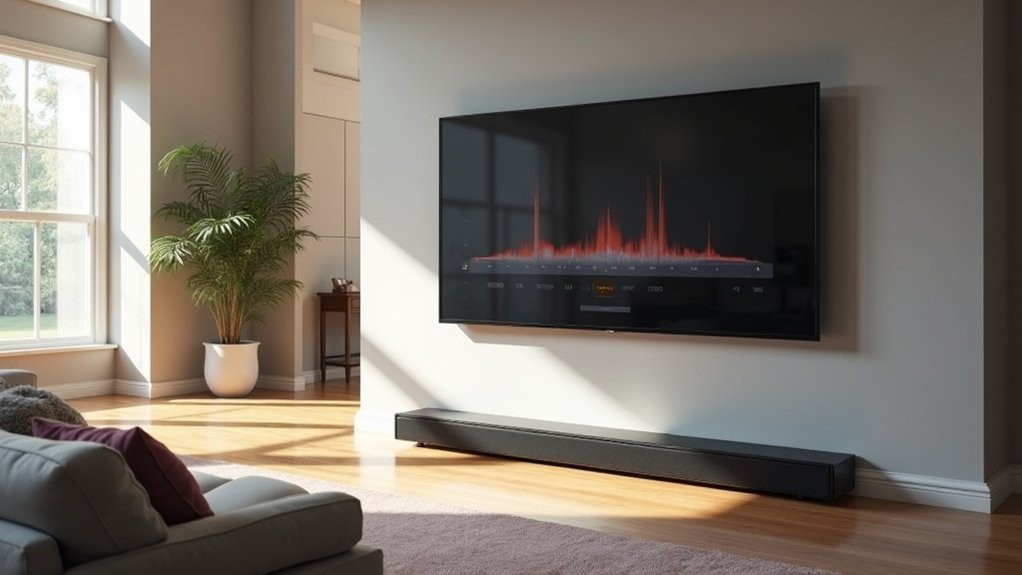
To calibrate your soundbar for an open floor plan, start by positioning it directly below your TV to ensure unobstructed sound waves. Utilize built-in calibration tools that analyze room acoustics for optimal performance. Fine-tune bass, treble, and mid-tones to achieve a balanced sound experience tailored to your space. Regular firmware updates are essential to maintain peak performance of your soundbar. You may also want to experiment with additional components, such as subwoofers or surround speakers, to further enhance your audio quality. Explore further techniques to maximize your soundbar setup for the best listening experience.
Key Takeaways
- Position the soundbar centrally below the TV, making sure the drivers are unobstructed for optimal sound projection in an open floor plan.
- Utilize the built-in calibration tools available in many soundbars to analyze room acoustics and adjust audio settings for clear sound distribution throughout the space.
- Consider adding additional speakers and subwoofers to enhance surround sound capabilities and improve bass response, which is particularly beneficial in larger areas.
- Regularly adjust the bass, treble, and mid-tone levels based on different types of content to maintain audio balance and clarity.
- Stay updated with firmware upgrades and reassess your audio setups frequently to adapt to any changes in room dynamics and your personal listening preferences.
Understanding Room Acoustics
When calibrating a soundbar in an open floor plan, understanding room acoustics is essential to achieving optimal audio quality. Various physical characteristics of the space can significantly impact sound performance.
Hard surfaces, such as concrete walls, reflect sound waves and can create echoes that compromise clarity. On the other hand, soft materials absorb sound, which helps to reduce reverberation and enhance the overall audio experience.
Additionally, high ceilings can complicate sound projection, allowing sound to travel away from listeners. Utilizing calibration tools effectively can help you adjust for these acoustic variables, ensuring ideal sound from your soundbar.
Optimal Soundbar Placement
To achieve ideal audio performance with your soundbar, position it directly below the TV, ensuring that the drivers remain unobstructed.
This optimal placement enhances sound projection and clarity, which are essential for an immersive listening experience.
Be sure to avoid any barriers that could interfere with sound waves, as they can greatly degrade audio quality.
For the best results, consider the acoustics of your room and make adjustments as necessary to maximize your soundbar’s potential.
Center Below TV
Positioning your soundbar directly below the TV is essential for achieving optimal audio clarity and immersion. This arrangement ensures that sound waves project directly towards your listening area, significantly enhancing your viewing experience.
If you choose to wall-mount your soundbar, be sure to adhere to the recommended height to avoid obstructing sound waves. It’s crucial to keep the soundbar’s drivers unobstructed, as any barriers can severely impact audio quality.
Avoid placing the soundbar inside cabinets or behind furniture, as this will lead to sound blockage.
Furthermore, take into account the acoustics of open floor plans; reflective surfaces may require adjustments to sound settings for a more balanced and immersive audio experience.
Avoid Obstructing Drivers
To ensure optimal audio performance from your soundbar, it’s crucial to keep the drivers unobstructed.
Position your soundbar directly below your TV for the best sound projection, allowing sound waves to travel freely. Avoid placing it inside cabinets or behind any furniture, as these obstructions can hinder sound clarity.
If you decide to wall-mount your soundbar, be sure to maintain an appropriate distance below the TV so that sound reaches ear level without any interference. Additionally, take into account the height of nearby furniture to prevent any potential blockage.
Utilizing Built-in Calibration Tools
While you may think that fine-tuning your soundbar’s performance requires extensive manual adjustments, many modern soundbars come equipped with built-in calibration tools that simplify this process.
These tools use integrated microphones for room calibration, analyzing acoustics to optimize audio settings for the best sound quality. During calibration, the soundbar emits test tones to measure how sound interacts with your room’s surfaces.
Integrated microphones in soundbars analyze room acoustics, optimizing audio settings by emitting test tones to measure sound interactions.
For example, Samsung’s SpaceFit Sound technology adjusts audio output based on different room sizes. To ensure the calibration is as effective as possible, make sure to perform it in a quiet environment free from distractions.
After calibration, explore different sound modes and consider making manual adjustments, as built-in tools mightn’t cover all specific audio scenarios.
Adjusting Bass, Treble, and Mid-Tones
To achieve ideal sound quality in an open floor plan using your soundbar, you need to carefully adjust the bass, treble, and mid-tones.
Start by setting the bass levels around 60-70% for a rich low-frequency experience without drowning out dialogue.
Next, fine-tune the treble to about 65% and the mid-tones to approximately 60% to maintain clarity and balance across various audio content.
Proper adjustment of these settings will enhance your overall listening experience with your soundbar.
Bass Level Adjustment
Achieving ideal sound quality with soundbars in open floor plans requires precise adjustments to bass, treble, and mid-tones.
Start by setting bass levels around 60-70% for optimal sound, ensuring the output enhances depth without overpowering dialogue clarity.
Utilize the soundbar’s calibration features to adapt to room acoustics, which can greatly influence how bass interacts with your environment.
Regularly test these settings across various content types, adjusting as needed to maintain a dynamic audio experience.
Treble and Mid-Tone Tuning
After establishing a solid bass foundation, focus on tuning the treble and mid-tones to further enhance your soundbar’s performance.
Set treble levels around 60-70% for clarity without harshness, especially in dialogue-heavy audio. Adjust mid-tones to approximately 55-65% to achieve a balanced sound that retains warmth and detail across various audio types.
If your soundbar features built-in calibration tools, be sure to utilize them to optimize these settings based on your room’s acoustics.
Regularly revisit and fine-tune the treble and mid-tone adjustments after any significant changes in your layout to maintain ideal audio performance in your open floor plan.
Room Calibration Recommendations
While calibrating your soundbar for an open floor plan, it’s vital to adjust bass, treble, and mid-tones effectively to create a cohesive audio experience.
Set bass levels around 60-70% for enhanced bass that doesn’t overpower dialogue. Adjust treble to approximately 65% for clear high frequencies, important for dialogue intelligibility. Mid-tones should be at 60% to maintain balance across frequencies.
Utilize automatic room calibration tools like SpaceFit Sound to analyze room acoustics and optimize settings specifically for soundbars.
Regularly test and tweak these settings based on the type of content you’re enjoying, ensuring you achieve your soundbar’s full potential for each viewing experience.
Regular Firmware Updates
To ensure your soundbar delivers peak audio performance, regular firmware updates are crucial.
These updates not only enhance sound quality but also introduce new features and fix bugs that could affect performance. Many manufacturers provide updates to improve compatibility with advanced audio formats like Dolby Atmos and DTS:X.
You can conveniently perform firmware updates through companion apps or directly via your soundbar’s settings menu. Keeping your firmware up to date also optimizes room calibration features, which are vital for achieving the best sound in open floor plans.
Regularly check the manufacturer’s website or soundbar app for announcements to maintain optimal performance.
Experimenting With Additional Components
Enhancing your soundbar setup with additional components can dramatically transform your audio experience, especially in open floor plans where sound dispersion can be challenging.
| Component | Purpose |
|---|---|
| Wireless Rear Speakers | Create immersive surround sound |
| Upward-Firing Speakers | Develop a three-dimensional sound stage |
| Subwoofer | Optimize low-frequency audio performance |
Experimenting with the placement and calibration of these components is essential for maximizing the potential of your soundbar system. A modular approach allows for future expansion, adapting to the dynamics of your space. By strategically adding and fine-tuning these elements, you’ll achieve a well-rounded audio experience that complements your soundbar, elevating your overall listening enjoyment.







